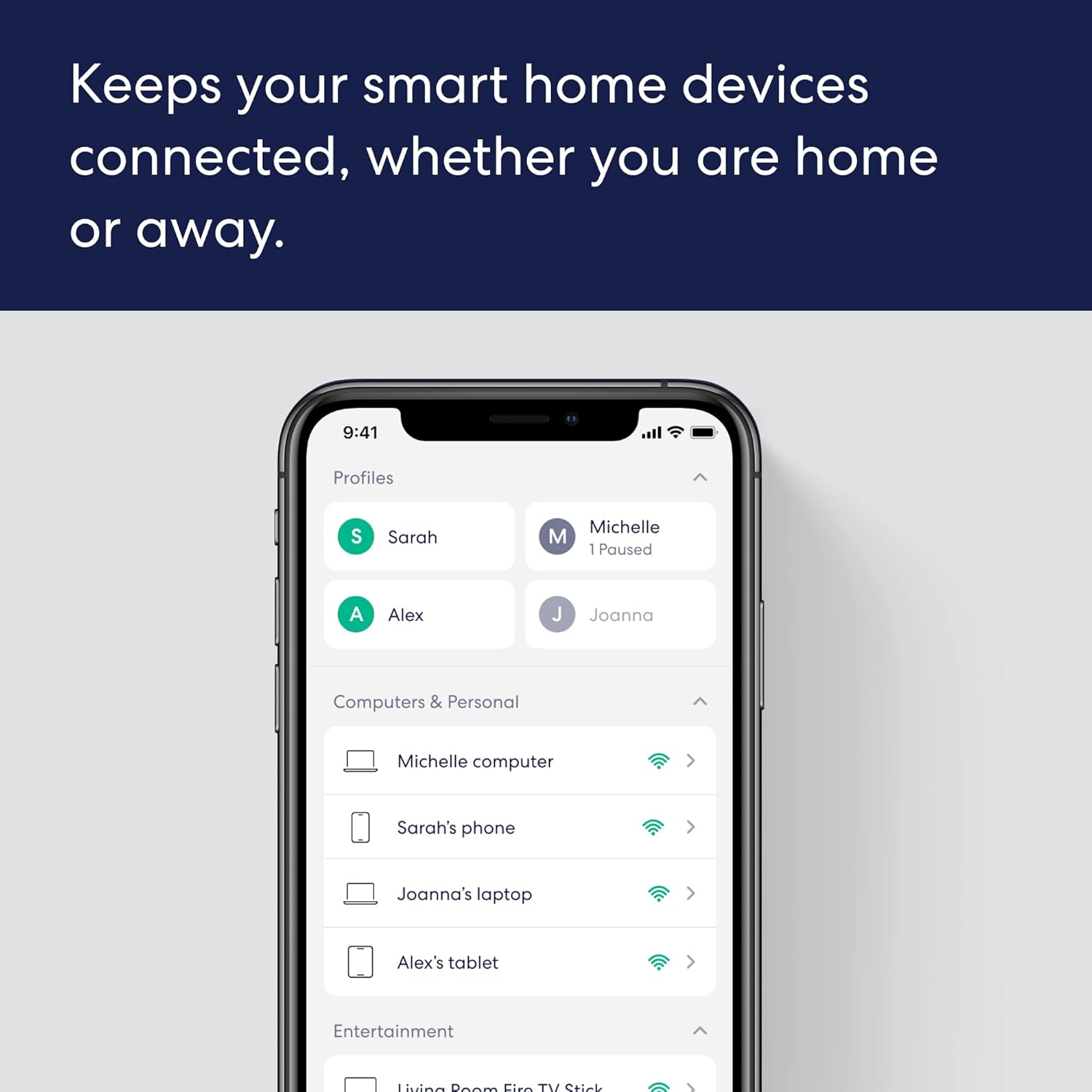
A GIGABIT SPEED ROUTER, FOR LESS – Supports wifi speeds up to a gigabit, without the premium price tag. eero 6+ is our most affordable gigabit router ever. WI-FI 6 GETS A BOOST – eero 6+ supports additional wifi bandwidth on the 160 MHz radio channel (that’s just wifi talk for faster connectivity). With the eero 6+, you’ll get enough wifi for the whole family to work, stream, and video chat—all at the same time. EXPERIENCE THE EERO TRUEMESH DIFFERENCE – eero’s patented TrueMesh technology intelligently routes traffic to reduce drop-offs and dead spots. SET UP IN MINUTES – The eero app guides you through setup and allows you to manage your network from anywhere. EASILY EXPAND YOUR SYSTEM – Use any single eero as a gateway to replace your current router, or add it to your existing eero network to extend wifi coverage. WORLD-CLASS CUSTOMER SUPPORT – Any questions? Our expert wifi troubleshooters are ready to help by phone in the US at +1-877-659-2347 or by support@eero.com. GETS BETTER OVER TIME – Receive automatic updates to help keep your network safe and secure. Online security and additional network management features available via a separate subscription. BUILT-IN SMART HOME HUB – eero 6+ contains a smart home hub to connect compatible Thread and Zigbee devices on your network with Alexa, replacing the need to buy separate hubs.
Specification
Overview
Customer Reviews
Rated 0 out of 5
3 reviews
Rated 5 out of 5
0
Rated 4 out of 5
0
Rated 3 out of 5
0
Rated 2 out of 5
0
Rated 1 out of 5
0
3 reviews for Amazon eero 6+ mesh wifi router – Supports internet plans up to a Gigabit, Coverage up to 1,500 sq. ft., Connect 75+ devices, 1-pack
Reliable and Easy!
The eero 6+ was super easy to set up and completely fixed my Wi-Fi dead zones. Fast, stable connection throughout the house — perfect for streaming, gaming, and smart devices. Totally worth it!
Love my Mesh System, Coverage has never been so good
I am extremely happy with my eero 6+ mesh Wi-Fi system. For reference I have a total of 9 throughout my home. Network Room, 5 Bedrooms, Garage, Patio and Office (All are hardwired in via a 24 Port Switch throughout the 6000 sqft house.) Running 1Gig via Spectrum.Pros:Excellent Coverage: Eero 6+ mesh technology provides strong Wi-Fi coverage throughout my home and exterior. I am on a 2 acre property and have 0 dead zones and ensuring a reliable connection in every corner.Fast Speeds: Supporting Wi-Fi 6 it offers faster speeds and better performance, especially in crowded networks with multiple devices.Ease of Setup: Setting up the Eero 6+ is typically straightforward plug, play and run the software update.Reliability: The Eero 6+ Mesh system is known for their reliability, as they dynamically optimize network performance by routing traffic through the best path, ensuring stable connectivity.Smart Home Integration: It can integrate with various smart home devices and systems, allowing you to manage your home network and connected devices conveniently from one place.Security Features: Eero offers built-in security features such as automatic updates, ad blocking, and advanced threat detection, enhancing the overall security of your network.Cons:Cost: The initial cost of purchasing an Eero 6+ system can be higher compared to traditional single-router setups or older mesh systems, especially if you have a large home that requires multiple nodes.Subscription for Advanced Features: Some advanced features, such as Eero Secure (which provides additional security and parental controls), require a subscription fee, adding to the ongoing cost of ownership.Limited Ethernet Ports: Each 6+ Eero node typically has 2 Ethernet ports, which may not be sufficient for users who need to connect multiple wired devices directly to the network. I corrected this by hardwiring from my ethernet drops and then connecting it to a small 5 port switch for anything in the individual rooms that may need to be hardwiredDependence on Internet Connectivity: Mesh systems like Eero 6+ rely heavily on internet connectivity. If your internet service goes down, your entire network could be affected, even for local communication between devices. I combat this by having power ran on my solar system, but if Spectrum is down, so is everything else.Privacy Concerns: Being a cloud-managed system, there may be concerns about data privacy and security, although Eero has implemented measures to address these concerns.Limited Advanced Configuration Options: While Eero is praised for its simplicity, it may not offer as many advanced customization options for users who prefer to fine-tune their network settings extensively.
Excellent Mesh WiFi System; Takes some experimentation to get great WiFi throughout the home
I have a lot of grandkids that come over and spend the night. They complained about “my Internet” for years. Works great for the wife and me, but the grandkids were not happy. So I decided to try a mesh system.I read a lot about the various mesh systems out there and decided to give the eero system a try. I decided on the 6+ system because it was the latest release and the price was right for three units. The Pro line was just too expensive; for $400 more I did not see a real advantage.Two days after ordering the eero routers arrived. I quickly unboxed and disconnected the Netgear router and remote Access point that I placed on the upper floor.Our house is about 2,800 square foot ranch. The Internet comes into the basement. I placed the first eero router where the old Netgear router was sitting, connected it to the cable modem, then added power to the eero and used the eero app on my iPhone to begin setting it up. Set-up went pretty quick on the first unit. I then connected the open port on the main eero router to a Netgear switch. The Netgear switch is then connected to a MoCA adapter to give me wired Ethernet connections in three other locations in the house. Those three locations also have Netgear switches connected through MoCA adapters. All but one MoCA are 2.5v and one is a 1.1v MoCA.Next I put the second unit upstairs on top of a dry sink cabinet and set that one up with the app which went quickly. Finally, the third app was placed in one of the two bedrooms the grandkids like to use when visiting.Now I started to do speed tests in different rooms and locations throughout the house. I will honestly tell you that at first, I was not impressed. I expected better speeds/bandwidth then what I was seeing. Since only the main router had a wired connection, the other two units relied on a wireless connection back to the main router. In some cases I was only seeing about 50Mbs in most of the upstairs areas. Ugh!Then I decided to check the speed/bandwidt on my main computer which had a wired connection using a MoCA adapter back to a small Netgear switch next to the main eero router. I was only getting ~150Mbs! That was a “WTF” moment as it should have been around 400Mbs which is the bandwidth I have from the Internet provider.More frustration, but I put that issue on hold for a bit. I started moving the two upstairs eero devices around to different rooms and locations. Sometimes they improved, sometimes not. Frustration.Then I decided to move one of the eero devices to the media cabinet where I had a small Netgear switch connected to a MoCA adapter which of course went back to a MoCA adapter connected to the main eero router. I did not do this originally because I tried to locate the two upstairs eero devices as centrally in the house as possibly.That really changed things. Suddenly I was getting better speed and bandwidth from not only the wired upstairs eero device ~400Mbs, but also to the second wireless eero device. So now I had a better wireless signal with the wireless eero device.Then back to the main computer. Still only ~150Mbs. For grins I had a moment where a light went off….let me try shutting the power off to the 1.1v MoCA adapter. Checked the speed on the main computer again, and over 400Mbs. Now I knew that MoCA was backwards compatible, but after this I did some reading. What I missed is that when you mixed versions, the entire MoCA Ethernet will go to the bandwidth of the older MoCA in use. Makes sense now, but what did not make sense was that they same set-up was being used pre-eero install and was not an issue. Then when I reconnected power to the 1.1v MoCA, the speed not the main computer was still at ~400Mbs. I cannot explain that, but I did order a cheap Trendnet 2.5v MoCA from Amazon and replaced the old version so that now all MoCA adapters were at version 2.5.Since everything seemed to be running well now, I just experimented with placement of the remaining eero unit that was being used wirelessly seeing where I got the best speed when devices were connected to it. Finally settled on the guest bedroom.The last thing I did was change the IP addresses and range to match what I had on the old Netgear routers and even assigned four of the hardware devices fixed IP addresses as before.The grandkids have stopped complaining about the WiFi. I am also very happy.I should also add that when the grandkids are not here, we have close to 70 devices connected to the network such as Echo devices in each room, iPhones, iPads, Fire Tablets, TVs, Fire TV units. several computers including Raspberry Pi units (my ham radio hobby related Pi’s), home automation with a Habitat and God only knows what else.My advice if you buy the eero system. Do not get discouraged if you run into issues. Keep trying. Mine was a bit more complicated because of the MoCA Ethernet network and all the devices I have connected. Yours may go in much easier. Try to use a wired connection to at least one eero on each floor of your home. Also keep moving the eero devices around for best placement and speed/bandwidth.If you have issues and questions, eero has great community forums. I never asked any questions, but did use the forums to locate issues/suggestions that others had which helped me quite a bit. In summary, I am very happy with the eero 6+ system.






 Overview
Breaking Bad Soaper –
Reliable and Easy!
The eero 6+ was super easy to set up and completely fixed my Wi-Fi dead zones. Fast, stable connection throughout the house — perfect for streaming, gaming, and smart devices. Totally worth it!
Blaze Llanos –
Love my Mesh System, Coverage has never been so good
I am extremely happy with my eero 6+ mesh Wi-Fi system. For reference I have a total of 9 throughout my home. Network Room, 5 Bedrooms, Garage, Patio and Office (All are hardwired in via a 24 Port Switch throughout the 6000 sqft house.) Running 1Gig via Spectrum.Pros:Excellent Coverage: Eero 6+ mesh technology provides strong Wi-Fi coverage throughout my home and exterior. I am on a 2 acre property and have 0 dead zones and ensuring a reliable connection in every corner.Fast Speeds: Supporting Wi-Fi 6 it offers faster speeds and better performance, especially in crowded networks with multiple devices.Ease of Setup: Setting up the Eero 6+ is typically straightforward plug, play and run the software update.Reliability: The Eero 6+ Mesh system is known for their reliability, as they dynamically optimize network performance by routing traffic through the best path, ensuring stable connectivity.Smart Home Integration: It can integrate with various smart home devices and systems, allowing you to manage your home network and connected devices conveniently from one place.Security Features: Eero offers built-in security features such as automatic updates, ad blocking, and advanced threat detection, enhancing the overall security of your network.Cons:Cost: The initial cost of purchasing an Eero 6+ system can be higher compared to traditional single-router setups or older mesh systems, especially if you have a large home that requires multiple nodes.Subscription for Advanced Features: Some advanced features, such as Eero Secure (which provides additional security and parental controls), require a subscription fee, adding to the ongoing cost of ownership.Limited Ethernet Ports: Each 6+ Eero node typically has 2 Ethernet ports, which may not be sufficient for users who need to connect multiple wired devices directly to the network. I corrected this by hardwiring from my ethernet drops and then connecting it to a small 5 port switch for anything in the individual rooms that may need to be hardwiredDependence on Internet Connectivity: Mesh systems like Eero 6+ rely heavily on internet connectivity. If your internet service goes down, your entire network could be affected, even for local communication between devices. I combat this by having power ran on my solar system, but if Spectrum is down, so is everything else.Privacy Concerns: Being a cloud-managed system, there may be concerns about data privacy and security, although Eero has implemented measures to address these concerns.Limited Advanced Configuration Options: While Eero is praised for its simplicity, it may not offer as many advanced customization options for users who prefer to fine-tune their network settings extensively.
Elderhigh –
Excellent Mesh WiFi System; Takes some experimentation to get great WiFi throughout the home
I have a lot of grandkids that come over and spend the night. They complained about “my Internet” for years. Works great for the wife and me, but the grandkids were not happy. So I decided to try a mesh system.I read a lot about the various mesh systems out there and decided to give the eero system a try. I decided on the 6+ system because it was the latest release and the price was right for three units. The Pro line was just too expensive; for $400 more I did not see a real advantage.Two days after ordering the eero routers arrived. I quickly unboxed and disconnected the Netgear router and remote Access point that I placed on the upper floor.Our house is about 2,800 square foot ranch. The Internet comes into the basement. I placed the first eero router where the old Netgear router was sitting, connected it to the cable modem, then added power to the eero and used the eero app on my iPhone to begin setting it up. Set-up went pretty quick on the first unit. I then connected the open port on the main eero router to a Netgear switch. The Netgear switch is then connected to a MoCA adapter to give me wired Ethernet connections in three other locations in the house. Those three locations also have Netgear switches connected through MoCA adapters. All but one MoCA are 2.5v and one is a 1.1v MoCA.Next I put the second unit upstairs on top of a dry sink cabinet and set that one up with the app which went quickly. Finally, the third app was placed in one of the two bedrooms the grandkids like to use when visiting.Now I started to do speed tests in different rooms and locations throughout the house. I will honestly tell you that at first, I was not impressed. I expected better speeds/bandwidth then what I was seeing. Since only the main router had a wired connection, the other two units relied on a wireless connection back to the main router. In some cases I was only seeing about 50Mbs in most of the upstairs areas. Ugh!Then I decided to check the speed/bandwidt on my main computer which had a wired connection using a MoCA adapter back to a small Netgear switch next to the main eero router. I was only getting ~150Mbs! That was a “WTF” moment as it should have been around 400Mbs which is the bandwidth I have from the Internet provider.More frustration, but I put that issue on hold for a bit. I started moving the two upstairs eero devices around to different rooms and locations. Sometimes they improved, sometimes not. Frustration.Then I decided to move one of the eero devices to the media cabinet where I had a small Netgear switch connected to a MoCA adapter which of course went back to a MoCA adapter connected to the main eero router. I did not do this originally because I tried to locate the two upstairs eero devices as centrally in the house as possibly.That really changed things. Suddenly I was getting better speed and bandwidth from not only the wired upstairs eero device ~400Mbs, but also to the second wireless eero device. So now I had a better wireless signal with the wireless eero device.Then back to the main computer. Still only ~150Mbs. For grins I had a moment where a light went off….let me try shutting the power off to the 1.1v MoCA adapter. Checked the speed on the main computer again, and over 400Mbs. Now I knew that MoCA was backwards compatible, but after this I did some reading. What I missed is that when you mixed versions, the entire MoCA Ethernet will go to the bandwidth of the older MoCA in use. Makes sense now, but what did not make sense was that they same set-up was being used pre-eero install and was not an issue. Then when I reconnected power to the 1.1v MoCA, the speed not the main computer was still at ~400Mbs. I cannot explain that, but I did order a cheap Trendnet 2.5v MoCA from Amazon and replaced the old version so that now all MoCA adapters were at version 2.5.Since everything seemed to be running well now, I just experimented with placement of the remaining eero unit that was being used wirelessly seeing where I got the best speed when devices were connected to it. Finally settled on the guest bedroom.The last thing I did was change the IP addresses and range to match what I had on the old Netgear routers and even assigned four of the hardware devices fixed IP addresses as before.The grandkids have stopped complaining about the WiFi. I am also very happy.I should also add that when the grandkids are not here, we have close to 70 devices connected to the network such as Echo devices in each room, iPhones, iPads, Fire Tablets, TVs, Fire TV units. several computers including Raspberry Pi units (my ham radio hobby related Pi’s), home automation with a Habitat and God only knows what else.My advice if you buy the eero system. Do not get discouraged if you run into issues. Keep trying. Mine was a bit more complicated because of the MoCA Ethernet network and all the devices I have connected. Yours may go in much easier. Try to use a wired connection to at least one eero on each floor of your home. Also keep moving the eero devices around for best placement and speed/bandwidth.If you have issues and questions, eero has great community forums. I never asked any questions, but did use the forums to locate issues/suggestions that others had which helped me quite a bit. In summary, I am very happy with the eero 6+ system.