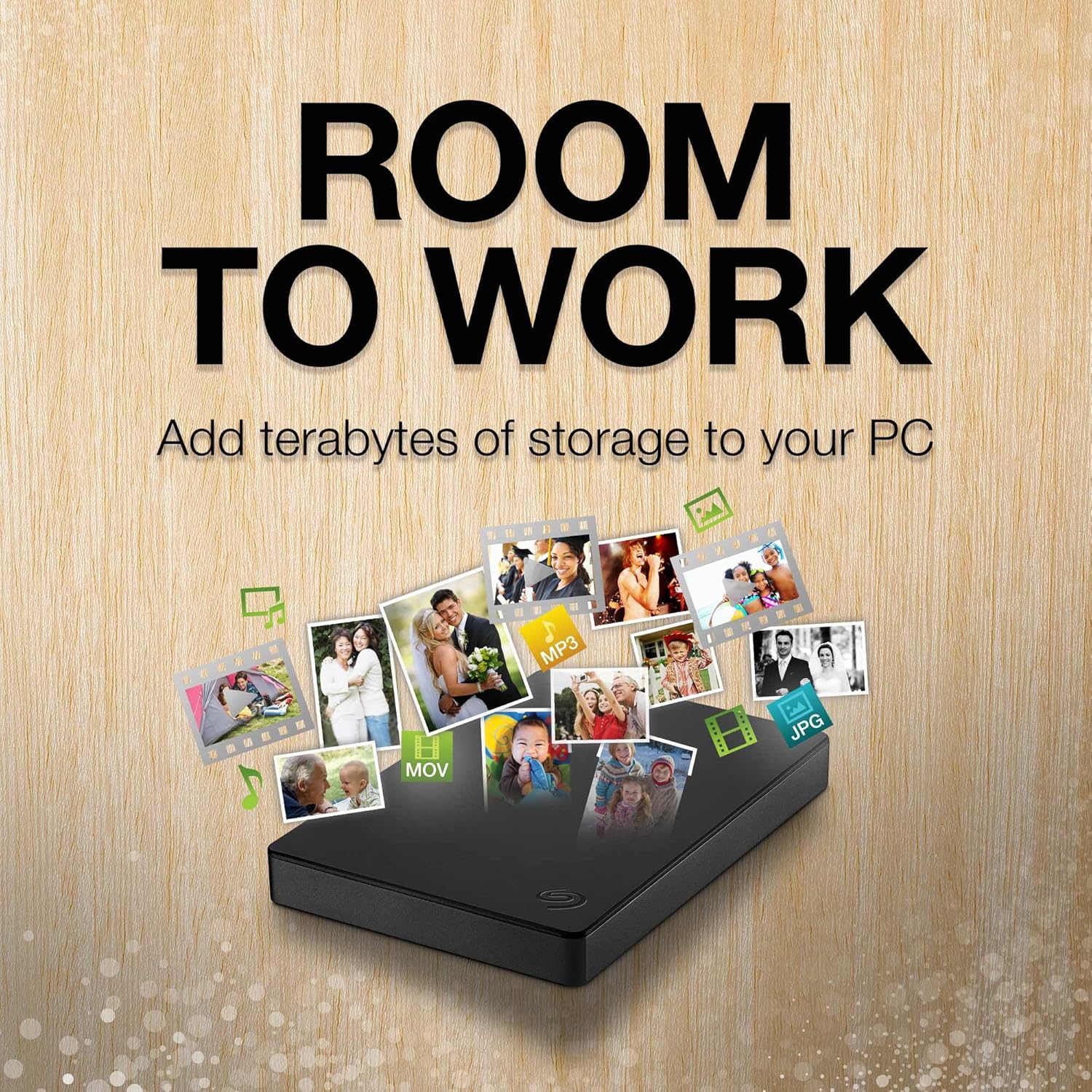
Easily store and access 5TB of content on the go with the Seagate portable drive, a great laptop hard drive. Designed to work with Windows or Mac computers, This compact external hard drive makes backup a snap. Just drag and drop to get set up, connect the portable hard drive to a computer for automatic recognition software required enjoy plug and play simplicity with the included 18 inch USB 3.0 cable. Easily store and access 5TB of content on the go with the Seagate portable drive, a USB external hard Drive Designed to work with Windows or Mac computers, this external hard drive makes backup a snap just drag and drop To get set up, connect the portable hard drive to a computer for automatic recognition software required This USB drive provides plug and play simplicity with the included 18 inch USB 3.0 cable The available storage capacity may vary.
Specification
Overview
Customer Reviews
Rated 0 out of 5
13 reviews
Rated 5 out of 5
0
Rated 4 out of 5
0
Rated 3 out of 5
0
Rated 2 out of 5
0
Rated 1 out of 5
0
13 reviews for Seagate Portable 5TB External Hard Drive HDD – USB 3.0 for PC, Mac, PS4, & Xbox – 1-Year Rescue Service (STGX5000400), Black
Seagate Expansion 28TB External Hard Drive HDD
I only had it for a few days and it seems to work good. I plugged it into my Windows 10 machine and copied 50 MB of files with no trouble. I plugged it into my Windows 7 machine, copied file with no trouble. Windows XP computer did not see the hard drive. Don’t know why. Maybe it is not supported.It does make a little noise on startup but I read other reviews and I guess this is standard.I have other Seagate backup drives and they work good.I have one 5TB Seagate that does not work any more because it fell off my desk while coping files. It does not like that.
Big and fast enough for me.
I shoot a lot of pictures and my camera is a 100 MP camera so the files are quite large, when I go out I will fill a 256 GB card with ease. so the need to a large Hard Drive is something I need maybe not you, but I filled a 10 TB drive up in the last 7 months. It is fast enough for my needs and formats with ease for a Mac. just purchased a 28 TB for backup because it was on sale and the cost was only $10 more. I am old enough to remember the first hard drives 20 MB would cost you $200 back then and computer memory was 128 K for a big one my first was 16 K. boy how times have changed.
Massive storage at a great price
I am using this as an extra backup for my NAS. The USB 3.2 connection is very fast. Have not had any reliability issues over three weeks while performing automated nightly backups. It comes installed as exFAT which is usually fine. But as this is my final emergency backup drive I had to convert it to NTFS which took well over 24 hours. But I feel more secure with NTFS than exFAT. Temp is not cool so make sure to keep vents clear but it also isn’t dangerously hot to keep it near your other devices.
Lots of space all in one place
I’ve only had it for a few days but it works. I have noticed that if my Adobe Premiere files are on this drive then it can take about a minute to get going if you take a break from editing for long enough for the disk to stop spinning. I wouldn’t plan to use this if you’re recording sound because it can be pretty loud. It is nice to have 18TB (20TB) all in one drive. I use it as a backup for all of my smaller drives that I take to work and on shoots.
The most cost-effective solution for 5 TB of portable storage, but with some limitations
I use 16 such drives, a mix of Seagates and competitive drives, for my backup solution (two sets of backups of two machines, each of which requires four drives — I have quite a bit of data — with one volume set stored offsite at all times). This kind of drive is certainly the most cost-effective solution for 5 TB of bus-powered storage, but it has some limitations. Unfortunately, 4 TB SSDs are still prohibitively expensive for this application, costing about 4x per byte more.1) It’s a shingled magnetic recording (SMR) drive. That may be needed to achieve this kind of storage density on platters this small, but it does mean that if you’re trying to write multiple terabytes of data to this drive, it will typically slow down drastically after the first 100 GB or so. That may well depend upon the filesystem used on the disk. I’m using ext4fs in a LUKS-encrypted container on Linux; writing 4.5 TB of average 10 MB files took me well over a day. Write throughput frequently dropped under 10 MB/sec for extended period of times, interspersed with short periods of 70-100 MB/sec and averaging about 25 MB/sec. The same applies to drives made by competing manufacturers. This is much less of a problem with incremental backups, which are much smaller and which the drive can handle within CMR cache.2) If I create an encrypted LUKS container spanning the entire drive, I’ve found that I get I/O errors when creating the filesystem (mkfs.ext4) or checking the filesystem (with fsck). This does not happen with ordinary filesystem operations. Via a long story related to a single drive that had genuinely gone bad, it led me to believe that all of the Seagate drives in my fleet were bad. There turned out to be a simple enough solution to this: rather than using the entire disk, creating a partition starting 1 MB in. Once I figured that out, I had no further difficulty. This was not an issue with drives made by another vendor. It’s not something most people will run into at all (if you use the drive as partitioned from the factory, you’ll be fine), and losing 1 MB out of 5 TB is not significant. I suspect it’s likely a firmware problem/limitation of some kind interacting with the LUKS container (it did not happen if I did not LUKS-format the drive). It’s not a reason not to use this drive, just something to be aware of if you want to use these drives for cheap encrypted backups under Linux.3) When writing large amounts of data to SMR drives, it’s first written to CMR (conventional) cache space on the drive, which is fast (100-140 MB/sec). After writing is complete, the drive will spend some time reorganizing the data on the drive. As such, it is probably a good idea to leave the drive plugged in for some time after writing a large amount of data (I usually leave it for 30 minutes after writing an initial backup to one of these disks).
Best price per terabyte. Seagate’s legendary reliability. Recommend. EXOS inside case.
Massive storage for the best price of TB per dollar. Seagate has never failed me. I still have 11-12 year old seagate drives still humming along fine with good health remaining. I do wish the external case had better ventilation but hidden inside is an EXOS Enterprise drive and can take higher temps so I am not worried. Shuck away my friends, this is the best deal per terabyte out there presently.
Great for storage but DO NOT use it for reading/writing tasks.
This is a GREAT drive for storage. It does, however, have absolutely abysmal read/write speeds and thus transferring data will take a while, even if it’s just 1 GB of data.2TB is plenty of space to backup old computer files, as well as transferring data between computers. I have had this drive for about a year now and it’s held up alright. It’s super small and slim so it doesn’t take up much space. It actually fits comfortably on top of my computer tower with room for other stuff.My main gripe is that upon adding this item to my cart, I believed it would be good for extra storage for video editing. And technically, it is. You just can’t actually EDIT on this drive. Trying to edit on this drive makes the editing software load files extremely slow. The way I wound up using it was temporarily storing files until I needed them back on my main internal drive. I have since upgraded my internal SSD to resolve this issue entirely, but it’s just something to keep in mind when you buy this.
First Seagate HDD I don’t hate.
I usually avoid Seagate because I’ve had trouble with them in the past but the 28 TB on sale was too good to pass up on. It’s been working just fine with 4K video files and AI models. I’m impressed but the capacity and thinking about getting another. Not too loud and definitely fast.
What i like about this HDD is the stable transfer speed with power supply unlike other that are unstable transfer speed. Got few TB of data transferred at ease.Only thing that might be a down side is the sound created might be a nuisance but overall it works very well for my heavy data. Will be back if data exceed again!
Ce disque dur externe est alimenté par la connexion usb. Sa vitesse est de 130 MB en écriture de fichiers volumineux, ce qui n’est pas mal pour ce type de périphérique.Je conseille de l’inscrire et de s’inscrire chez Seagate qui offre, à ce moment, toute une série de programmes allant des diagnostiques des disques (temps de fonctionnement, état du disque,…) à des méthodes pour faire des backups, ou les utiliser en mode semi-raid (duplication automatique du sauvetage des fichiers sur disque externe). La documentation pour installer et utiliser ces softs est très bien réalisée et peut, le cas échéant, permettre de sauver votre installation lors d’un crash.




 Overview

David –
Seagate Expansion 28TB External Hard Drive HDD
I only had it for a few days and it seems to work good. I plugged it into my Windows 10 machine and copied 50 MB of files with no trouble. I plugged it into my Windows 7 machine, copied file with no trouble. Windows XP computer did not see the hard drive. Don’t know why. Maybe it is not supported.It does make a little noise on startup but I read other reviews and I guess this is standard.I have other Seagate backup drives and they work good.I have one 5TB Seagate that does not work any more because it fell off my desk while coping files. It does not like that.
Alan Richards –
Big and fast enough for me.
I shoot a lot of pictures and my camera is a 100 MP camera so the files are quite large, when I go out I will fill a 256 GB card with ease. so the need to a large Hard Drive is something I need maybe not you, but I filled a 10 TB drive up in the last 7 months. It is fast enough for my needs and formats with ease for a Mac. just purchased a 28 TB for backup because it was on sale and the cost was only $10 more. I am old enough to remember the first hard drives 20 MB would cost you $200 back then and computer memory was 128 K for a big one my first was 16 K. boy how times have changed.
David C. –
Massive storage at a great price
I am using this as an extra backup for my NAS. The USB 3.2 connection is very fast. Have not had any reliability issues over three weeks while performing automated nightly backups. It comes installed as exFAT which is usually fine. But as this is my final emergency backup drive I had to convert it to NTFS which took well over 24 hours. But I feel more secure with NTFS than exFAT. Temp is not cool so make sure to keep vents clear but it also isn’t dangerously hot to keep it near your other devices.
JP –
Lots of space all in one place
I’ve only had it for a few days but it works. I have noticed that if my Adobe Premiere files are on this drive then it can take about a minute to get going if you take a break from editing for long enough for the disk to stop spinning. I wouldn’t plan to use this if you’re recording sound because it can be pretty loud. It is nice to have 18TB (20TB) all in one drive. I use it as a backup for all of my smaller drives that I take to work and on shoots.
Robert K –
The most cost-effective solution for 5 TB of portable storage, but with some limitations
I use 16 such drives, a mix of Seagates and competitive drives, for my backup solution (two sets of backups of two machines, each of which requires four drives — I have quite a bit of data — with one volume set stored offsite at all times). This kind of drive is certainly the most cost-effective solution for 5 TB of bus-powered storage, but it has some limitations. Unfortunately, 4 TB SSDs are still prohibitively expensive for this application, costing about 4x per byte more.1) It’s a shingled magnetic recording (SMR) drive. That may be needed to achieve this kind of storage density on platters this small, but it does mean that if you’re trying to write multiple terabytes of data to this drive, it will typically slow down drastically after the first 100 GB or so. That may well depend upon the filesystem used on the disk. I’m using ext4fs in a LUKS-encrypted container on Linux; writing 4.5 TB of average 10 MB files took me well over a day. Write throughput frequently dropped under 10 MB/sec for extended period of times, interspersed with short periods of 70-100 MB/sec and averaging about 25 MB/sec. The same applies to drives made by competing manufacturers. This is much less of a problem with incremental backups, which are much smaller and which the drive can handle within CMR cache.2) If I create an encrypted LUKS container spanning the entire drive, I’ve found that I get I/O errors when creating the filesystem (mkfs.ext4) or checking the filesystem (with fsck). This does not happen with ordinary filesystem operations. Via a long story related to a single drive that had genuinely gone bad, it led me to believe that all of the Seagate drives in my fleet were bad. There turned out to be a simple enough solution to this: rather than using the entire disk, creating a partition starting 1 MB in. Once I figured that out, I had no further difficulty. This was not an issue with drives made by another vendor. It’s not something most people will run into at all (if you use the drive as partitioned from the factory, you’ll be fine), and losing 1 MB out of 5 TB is not significant. I suspect it’s likely a firmware problem/limitation of some kind interacting with the LUKS container (it did not happen if I did not LUKS-format the drive). It’s not a reason not to use this drive, just something to be aware of if you want to use these drives for cheap encrypted backups under Linux.3) When writing large amounts of data to SMR drives, it’s first written to CMR (conventional) cache space on the drive, which is fast (100-140 MB/sec). After writing is complete, the drive will spend some time reorganizing the data on the drive. As such, it is probably a good idea to leave the drive plugged in for some time after writing a large amount of data (I usually leave it for 30 minutes after writing an initial backup to one of these disks).
Frank –
Best price per terabyte. Seagate’s legendary reliability. Recommend. EXOS inside case.
Massive storage for the best price of TB per dollar. Seagate has never failed me. I still have 11-12 year old seagate drives still humming along fine with good health remaining. I do wish the external case had better ventilation but hidden inside is an EXOS Enterprise drive and can take higher temps so I am not worried. Shuck away my friends, this is the best deal per terabyte out there presently.
Jeremy –
Great for storage but DO NOT use it for reading/writing tasks.
This is a GREAT drive for storage. It does, however, have absolutely abysmal read/write speeds and thus transferring data will take a while, even if it’s just 1 GB of data.2TB is plenty of space to backup old computer files, as well as transferring data between computers. I have had this drive for about a year now and it’s held up alright. It’s super small and slim so it doesn’t take up much space. It actually fits comfortably on top of my computer tower with room for other stuff.My main gripe is that upon adding this item to my cart, I believed it would be good for extra storage for video editing. And technically, it is. You just can’t actually EDIT on this drive. Trying to edit on this drive makes the editing software load files extremely slow. The way I wound up using it was temporarily storing files until I needed them back on my main internal drive. I have since upgraded my internal SSD to resolve this issue entirely, but it’s just something to keep in mind when you buy this.
Rick –
First Seagate HDD I don’t hate.
I usually avoid Seagate because I’ve had trouble with them in the past but the 28 TB on sale was too good to pass up on. It’s been working just fine with 4K video files and AI models. I’m impressed but the capacity and thinking about getting another. Not too loud and definitely fast.
Kindle Customer –
Great
Sir A.P –
Works great and hope it continues like this, this is a good buy
Mohammed Radhwan –
small and good material … and fast
Roy C. –
What i like about this HDD is the stable transfer speed with power supply unlike other that are unstable transfer speed. Got few TB of data transferred at ease.Only thing that might be a down side is the sound created might be a nuisance but overall it works very well for my heavy data. Will be back if data exceed again!
Crepaux Eddy –
Ce disque dur externe est alimenté par la connexion usb. Sa vitesse est de 130 MB en écriture de fichiers volumineux, ce qui n’est pas mal pour ce type de périphérique.Je conseille de l’inscrire et de s’inscrire chez Seagate qui offre, à ce moment, toute une série de programmes allant des diagnostiques des disques (temps de fonctionnement, état du disque,…) à des méthodes pour faire des backups, ou les utiliser en mode semi-raid (duplication automatique du sauvetage des fichiers sur disque externe). La documentation pour installer et utiliser ces softs est très bien réalisée et peut, le cas échéant, permettre de sauver votre installation lors d’un crash.