

-92%
Sale!



From the brand


【Soar into Christmas】From backyard BBQs to your kid’s first bike ride, these are the moments they’ll remember. With crisp 6K photos and smooth 4K/30fps video, the F11PRO 2 turns everyday family memories into cinematic treasures—because time flies, but the best parts of life shouldn’t fade.
【Advanced Image Sensor Lens】F11PRO 2’s premium image sensor lens outshines standard lenses, capturing finer details and richer textures, bringing your world to life with vibrant color and exceptional clarity.
【Stability Redefined】Experience the advantage of our 3-axis brushless gimbal, which provides superior stability and smoothness. With enhanced wind resistance, you can capture professional-level aerial footage with ease.
【Extended Flight Time】Enjoy extended adventures with our drone, featuring two batteries that each provide 35 minutes of flight time. That’s a total of 70 minutes of exhilarating flying fun on a single outing!
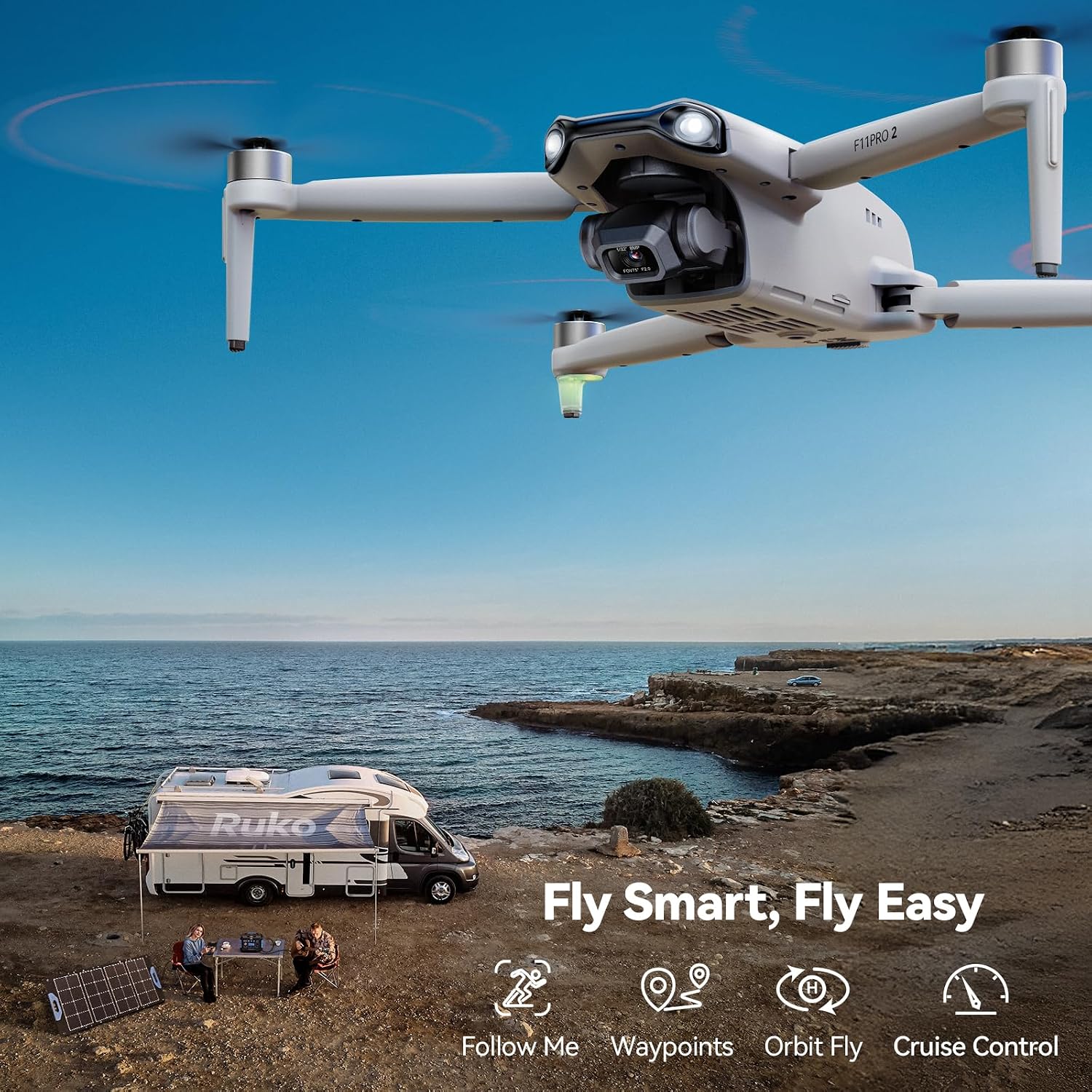
【Fly Smarter, Film Better】Unlock cinematic possibilities with intelligent GPS flight modes. Whether it’s follow-me, orbit flight, cruise control, or waypoint planning, these features simplify operation and allow even beginners to capture stunning, professional-level footage.
【Nighttime Adventures】Experience the thrill of night flying with F11PRO 2 drone’s Night Mode, designed to enhance your aerial adventures after dark. Paired with frame retention technology, it ensures night photography with captivating visuals.
【Charging Reminder】For optimal charging performance, please use the Ruko charger. Please avoid using chargers designed for other devices. Please avoid using chargers with an output higher than 12V.
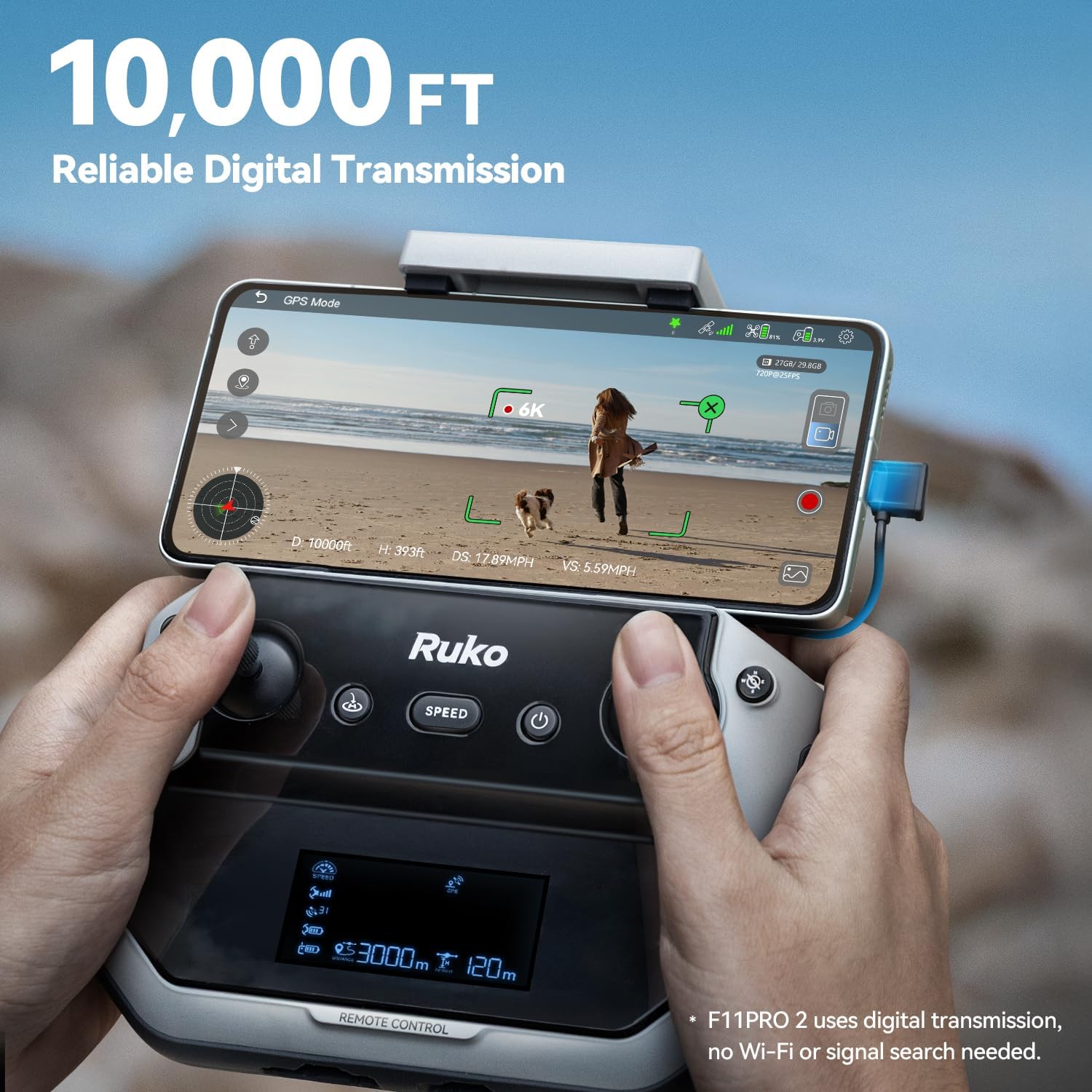
【Super Long Range】Explore the great outdoors like never before with F11PRO 2’s impressive 10,000-foot long-range transmission and stable digital connection.
【Friendly Reminder】Before turning on the drone, please remove the gimbal cover. Starting the drone without removing the cover can cause the gimbal to get stuck during its self-check process, potentially leading to damage.
【Dedicated Support】Premium products deserve reliable care. Enjoy 30-day returns or exchanges, 90-day coverage, and ongoing expert assistance—so your high-value product stays protected.
 Overview

MetalFan –
Perfect drone for recreational users
Great drone, functional and responsive app as well. For the price, this has a lot of features. I have been around drones and have tried some smaller drones and always crashed them. With this drone, set to beginner mode, I was flying first try. Do I wish it had obstacle avoidance? Sure, my wife would like a drone following her through a wooded trail but that can come later. This drone gets plenty high, and has great range. I have taken mine out a quarter mile in tree dense city setting and still had smooth video and great control. Even with winds in excess of 20mph with 30mph gusts this drone kept smooth video and tried its hardest to stay in one spot. You can tell when wind hits it if its in ear shot as the propellers will get noisy pushing that wind through them. For a hobby user, the batteries that come with it would provide ample time to capture where you are and you can use a fast charger to get them back up and ready to go again. The drone and all included accessories are light and easy to carry in the included case. Just because its light does not mean it will fly out of control though, I do not consider myself a season drone pilot at all and have only crashed this drone once and it was my fault for trying to land on a very small area next to the garden. Because of this I can tell you it has an alarm on it which makes it easy to find if you do end up crashing into a tree a half mile away. One thing I would like to point out is the CD card. Get a good 128gb SD card, insert it into the drone and connect the controller. Tap on the SD card in the app to format it, then shut everything down, take the card to your computer and insert it there. Once you see the contents, put it back in the drone and it will show up and allow recording. Keep in mind that more interference can lead to shorter distances and could produce some lag between the drone and the app. To me, this is not a negative and I have yet to even experience it. If I do, its not hard to tap RTH and it will turn around and come home. I have had this so high and so far I could not see it or hear it but the app allowed me to know where it was and hitting RTH I could keep recording as the drone will turn around and fly home instead of just flying backwards.
Usmcwpntec –
Learning Curve For Beginners, BUT WORTH IT!!!
This is my first drone and jumped in head first. Long story short as I can…pairing with the GPS can be DIFFICULT, but once learned, it’s easy. You NEED to register it with the FAA and take a FREE safety test online. Using google search type registering your drone with the FAA and the rest is not that hard to follow.You do need to pay a $5 fee for three years registration. You also MUST dl the air aware app along with the Ruko Pro app. Reason for the air aware app, is that when you are ready to fly your drone, opening the app, will lyk if the area that you’re in has been cleared by the FAA in REAL time.I also recommend that you order FREE stickers (no cc or ANY info like that) to put your registration number on your drone (through pilotinstitute), which is REQUIRED by the FAA. I am waiting for mine and used a label maker in the meantime to get this accomplished.After all of this, pairing and setup was the next step. Turn the drone on, then the controller. move the L stick up and then then down and 2 tones, along with a white light on your controller, will lyk it’s paired. Immed AFTER this step, is where I got confused and it took me a while to figure this out.You then need to pick up the drone and rotate it litterally in a circle 2 times horizontally (till the back lights become solid, then place it down), then pick it back up again, with the camera facing the ground (vertically) and again rotate it 2x in a cirlce until the front lights turn solid, then place it back on a flat surface again.At that point, you MUST connect it through your phones wifi. Go to your phones wifi list, find ruko in there and connect it. Once you do that, open the app. It will NOT finish the GPS pairing UNTIL you open the app and click on controls towards the upper right corner of the app. You will then see the view from the drone camera itself and you then know that you’re gtg!!After that, move BOTH thumb sticks at the SAME time towards one another (the left goes bottom R, 5 o’clock position and the R stick goes bottom L 7 o’clock position) which starts up the props and your FINALLY ready for flight.My personal opinion for the drone itself is FANTASTIC!! First time flyer I thought I could easily use it in my SMALL back yard in my residential neighborhood. Big miscaluation on my part. Learn from my error and go to a empty parking lot or field UNTIL you get the hang of it. I CRASHED my drone 3 times in a matter of 15 min and almost hit numerous trees and power lines!!I thought for sure that my drone was toast!! Especially AFTER I HIT my own lamp post in my back yard. While there are a few nicks and dings (not too bad), to my surprise, it STARTED RIGHT BACK UP EVERY TIME AND CONTINUES TO WORK PERFECTLY!!! I was SHOCKED to say the least!! What a STURDY/WELL MADE piece of equiptment!!! My complimence to Ruko for making such a well built drone with SOLID electronics and pieces.After realising that I should not press my luck any further, I headed out to a baseball field and learned how to operate it properly. It took about and hour or so, but I got so competent with it, that I can NOW fly it in my small back yard with ZERO issues. I even know how to take pics and adjust the camera in flight.It has an auto follow feaure and auto land, which is why going through the difficultuy to pair it with the GPS is SSSOOO important. I crashed in my yard those times because I got frustrated, not being able to figure out the GPS pairing and flew it at that time, bypassibg this important step.Other than that, the camera is excellent, the drone itself is obv solid, and it’s feaures are plentiful. This also includes being remote ID compliant with the FAA, by having a built in transmitter that constantly broadcasts your drones ID, speed, heading and so on.It comes wtih TWO batteries that provide 30 mins flight time each and are recharged via USB-C and the remote controller is charged the same way. My advice, is to buy the extra landing gear with the extra caps in the package and buy extra props as well.I also recommend buying an extra RC controller that you can find on Ebay (new) for half the cost, especially since it is sold out from Ruko. I am so impressed by this drone, I am going to buy the same exact one to have as a backup. It’s nice to see a company (esp from China) put out a solid product of this QUALITY. Worth EVERY penny!!
Handy Randy –
Nice drone and great customer service.
I recently purchased the Ruko F11 Pro 2 drone, and I couldn’t be happier with my decision! The build quality is solid, the camera delivers crisp and clear footage, and the drone is very easy to fly—even for someone who isn’t a professional pilot. The GPS features and return-to-home function give me peace of mind, and the flight time is excellent compared to other drones in this price range.What really impressed me, though, was Ruko’s customer service. They were quick to respond to my questions, extremely helpful, and went above and beyond to make sure I was satisfied with my purchase. It’s rare these days to find a company that truly cares about its customers, but Ruko definitely does.some punk shot my drone with a pellet gun while i was hovering around the neighborhood, it fell to ground and broke. I contacted ruko customer service directly using the link on their app and told them about it. i was able to send them pics of the damaged drone and 5 days later, i received a new drone, free of charge. Thank you very much!Overall, the F11 Pro 2 is a fantastic drone with outstanding performance, and the excellent customer support makes the experience even better. Highly recommend!
DFish –
So much fun! Totally worth it!
I didn’t expect to rnjoy this drone as much as I do! It was super easy to set up so I had it flying in no time. The battery life is decent and the camera quality is way better than I expected for the price. Overall, this little drone has been a blast to use. Great quality and easy to fly. Definitely recommend!
jeffry –
Old ReviewThe camera is fixed, making it difficult to control the flight. When the homing button is pressed, it always misses the mark or landing area. It ends up landing in an area with rough surfaces or tall grasses.Update (August 11, 2024).I encountered some issues with the first drone I tried. The camera was fixed, which made it challenging to control the flight. Whenever I pressed the homing button, the drone consistently missed the mark or landing area, ending up on rough surfaces or tall grass.However, after trying another drone of the same model, I found that the camera was fully functional. It could easily move, pointing both forward and downward from the remote. I was impressed to see that the drone now has the capability to land within 2 feet from where it takes off.I must commend the company for its exceptional customer service and managerial support. I am now 100% satisfied with my experience and would highly recommend purchasing this drone from this company.
Terry Lucas –
This drone was good, initially. It is now out of warranty but has done very little flying IE less than 3 hours in total. The remote controller no longer works. The battery will not hold charge. Ruko will not do anything about it even though its like brand new. They tried to inform the warranty was only 6 months. They offered to sell me another controller but given this experience, and the cost, I don’t think so. Not a good quality product.
chris belanger –
After receiving the Ruko F11 pro it took a little bit to get everything to work properly. You can’t be inside and get a gps signal so make sure you are in an open area before you try. After I got everything ready it was up very easily. Stable flight, power at the ready and easily controllable. The camera is clear but have yet to use it at a distance. Will add that later. Build quality is great. Drone is a little heavy and larger than I expected but that makes it more stable in the air. Will add video when I get into some larger areas but for the price the Ruko F11 Pro is a great intro drone and would recommend it.
Timena Pilot –
I like the product when used it flying came with easy instructions to set up. The cons is not much repairs stores in Australia to fix damage on this model drone. The pro is the customer service from Ruko are helpful and quick to respond to enquires. Also that there is tutorial videos on how to set up and repair damaged drones.
Frank T –
Wow this drone is capable …30 kmh wind and its stable.In Canada needs to be registered 5$ and you require a liscence 10$ …all done online.Flying is easy …pictures an video are great …using 128 gb tf cardHaving random disconnect with controller but support is great and a replacement transmitter is on the way.