
-29%
Sale!
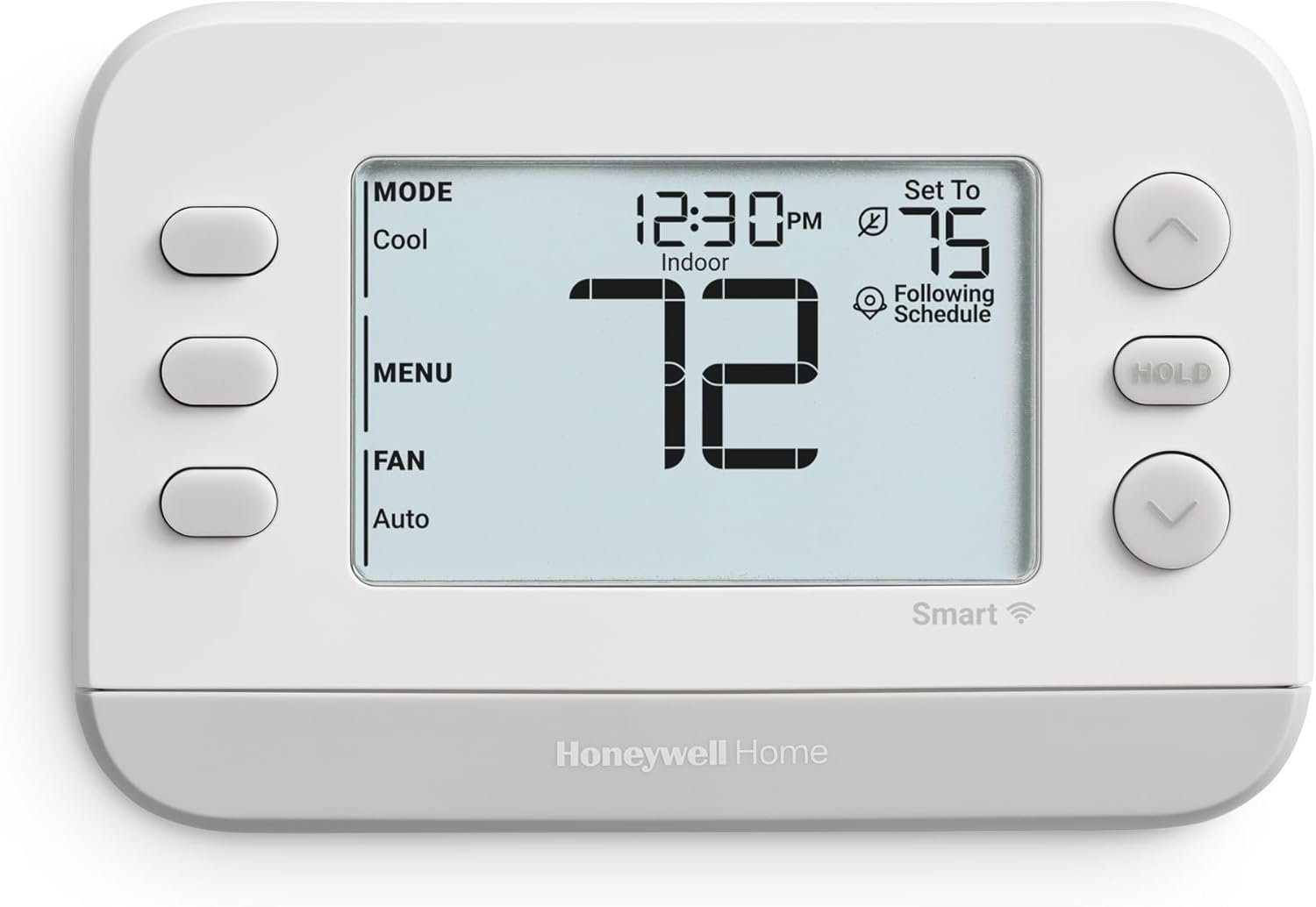


The Honeywell Home X2S Smart Thermostat is optimized for conventional and heat pump systems (up to 2 heat/2 cool conventional or up to 2 heat/1 cool heat pump). This ENERGY STAR certified WiFi thermostat features flexible scheduling and auto-away functionality. It’s a quality thermostat for your home that can be customized to receive change air filter reminders, monitor indoor humidity, and select display settings. You can even coordinate with your home decor thanks to the interchangeable decorative accent pieces (comes with white and gray options). Device is Matter certified and works with Amazon Alexa, Google Assistant, Apple Home Kit.
CONTROL: Connect to WiFi and control from anywhere using the First Alert app – Matter Certified and also compatible with Amazon Alexa, Google Assistant, Apple Home Kit. C-WIRE Required: Before purchasing, please check to see if this thermostat is compatible with your home, a C-wire power adapter may be needed for proper operation of this thermostat.
CUSTOMIZE: Choose to receive change air filter reminders, monitor indoor humidity, and select display settings to optimize this WiFi thermostat for home,The RTH2CWF is a replacement for the RTH6580 for applications up to 2 heat, 2 cool conventional or 2 heat, 1 cool heat pump
SCHEDULE: Energy Star certified smart WiFi thermostat features scheduled programming and auto-away functionality. Personalize programming in 5-1-1 day, 5-2 day, 7 day, or 1 week increments – there’s even a non-programmable option
SAVE ENERGY: Help keep energy use low with energy program participation and rebate opportunities
FEATURES: WiFi + app connectivity, demand response capable, custom display settings, flexible scheduling, auto-away technology, change filter reminder, humidity display option, extended 32°F low-heat setpoint, 2-year warranty
MATTER CERTIFIED for seamless control and integration within other smart home platforms. A new communications standard for connecting smart devices, Matter enables thermostat control and integration within top platforms—so your thermostat can be controlled reliably within other smart home apps.
 Overview

Sashy –
Good simple smart thermostat
This is a good, simple smart thermostat. In the three months since I’ve installed it, it and its app have been 100% reliable for heating and cooling my home (it’s basically a consumer version of the pro model Honeywell S200 thermostat).Connecting the it to my HVAC was easy (I already had a common wire), and so was using the First Alert by Resideo app to set it up on WiFi, add a schedule, etc. I was pleasantly surprised that the entire setup process – both wiring it up and configuring it in the app – went off without a hitch.After setup, the app let me sign up for rebates with my gas and electric utilities – but after I did the gas signup, the electric option disappeared, even though my HVAC system uses both (I was able to sign up for electric later after I added another person’s account to my location).Considering the price, the lack of remote temperature sensors or presence sensors isn’t a big deal (and those features are mostly overkill anyway). The thermostat itself feels sturdy, but looks basic – though once again that’s fine considering the price. You can switch the bottom plastic “chin” between white or gray, both are in the box.Using the physical thermostat screen and controls to adjust temp, switch modes and so on, is simple and straightforward. The buttons feel rubbery but are reliable, and the monochrome screen is sharp and clear – but most of the text is very small, which could be hard to read with older eyes.The First Alert app can follow your phone’s location and automatically change temperatures for home vs. away; or you can use a fixed schedule (which is what I did). The app requires horizontal scrolling to see the entire schedule which is confusing, and then it often got stuck when updating the schedule (but that’s something you won’t do very often). The app also only works in portrait mode on iPad unless you update to the most recent iPadOS. Otherwise the app seemed reliable and stable.Out of the box, the thermostat offers only modes for Heat and Cool; but you can go into advanced settings to enable Auto mode to automatically switch between heating and cooling. Advanced settings also lets you change backlight timing and brightness, whether you have one- or two-stage heating or cooling, etc.The thermostat can work with the main smart home platforms – Amazon Alexa, Google Home, and Apple HomeKit. However, while Alexa and Google setup are easily accessed from the app’s main menu under Integrations, Apple HomeKit requires the “Matter” menu which is buried several levels down under the thermostat’s settings – in fact there’s no mention of “HomeKit” at all. While technically this makes sense (because HomeKit supports Matter devices and Matter isn’t exclusive to HomeKit) it’s not going to be obvious to many users. There was an extra page of instructions in the box explaining this relationship between HomeKit and Matter, but it didn’t say anything about how to access Matter in the app. To make things easier for Apple users, I think they should add HomeKit and Matter items to the same menu that has Alexa and Google, even if it’s not “logical”.I use HomeKit so I can’t speak to the Amazon or Google Home experience, but once the thermostat was added to the Apple Home app (which was easy to do except its name was displayed as S200 instead of X2S), the Home app only offered very basic controls. You can set the temperature, switch between heat, cool, and off, and there’s one preset automation to turn it off when you leave home – and that’s it. I think this is a limitation of HomeKit – not Honeywell – since my Nest thermostat in a different home looks identical in the Home app. This means you’ll still need the First Alert app to set fan mode, or use schedules and geofencing (although the latter could also be done by adding your own HomeKit automations).P. S. I have the latest Google Nest learning thermostat in another home. It is much sexier looking, but it is harder to use, both via the Google Home app and physically using the thermostat itself (but it was about a bit easier to install). Nest does offer learning features, presence sensing and other cool tricks, but so far i haven’t found anything that made it worth the much higher price tag.
Megellin –
Very good thermostat! The price and performance is great!
Great thermostat! Only thing that I had any issues with was because of my unit not having a c-wire hooked up originally, but after looking up how to do it online and getting that worked out the rest of the thermostat install was extremely easy! I really love how you can easily see the temp on the screen, and on the phone app! It does work with alexa as well, but was a little hard to get going. I mostly blame the skill though, and it’s also a bit of a niche thing since you can still control it well with the app.
dans –
Easy Peezy.
Great product. Exactly what I was looking for. Wi-Fi control thermostat download the app simple application can control the heat and AC from your phone wherever you’re at easy to install.
Old and weary –
Great little thermostat, very easy to install
NEEDS A C-WIRE!I’m doing the G –> C modification since I don’t ever run the fan just by itself
Joel D. –
Worked great!
Work great. Easy to set up. Very good value.
Amxkat –
Inconsistent wifi connectivity
Easy to install. Wifi set up was smooth. The connectivity wifi is inconsistent and requires attention and manual intervention weekly. Update: continues to lose connectivity. Very unreliable. From a 4 star to one star.
Juan Padilla –
Worth the money!
Love the feature of me being able to control the device from out of town and the alerts it notifies me with ex: power outage , current temp , humidity. I say it’s worth the money
Tfosterokc –
Good, but be aware of a few things…
I bought this because I had a builder grade basic thermostat and I just wanted something I could program a schedule and connect via WiFi.Installation- fairly easy but I (and 41 year old female) ran in to an issue when it automatically set it up based on a few questions. It wasn’t giving me the option to turn the AC on. I uninstalled, reinstalled, made sure I had everything in place. Same issue. Finally, I realized it was a setting I had to go in and manually update. That process was pretty frustrating.Schedule- overall, this works well, however it was saving it as one degree warmer for my night time schedule. It doesn’t allow you to update the schedule either. You just have to start over. So then I went 2 degrees cooler thinking I would get the temperature I wanted. Then it set it correctly. I couldn’t just get to 68 degrees.Overall, I’d say this is worth the price. It does the job, mostly, at an affordable price. Just know you may need to setup manually and not rely on the automatic settings.
Grabber –
I installed it a few days ago at our other property. I works exactly as billed. The WIFI connection was finicky to set up. The QR App download from the user guide didn’t work but I found the correct app when checking Google for a help video. Once the correct App was installed, installation was quick and easy. I installed the correct App on my wife’s phone and it was complete and working in 5 minutes.