
-36%
Sale!




Product description


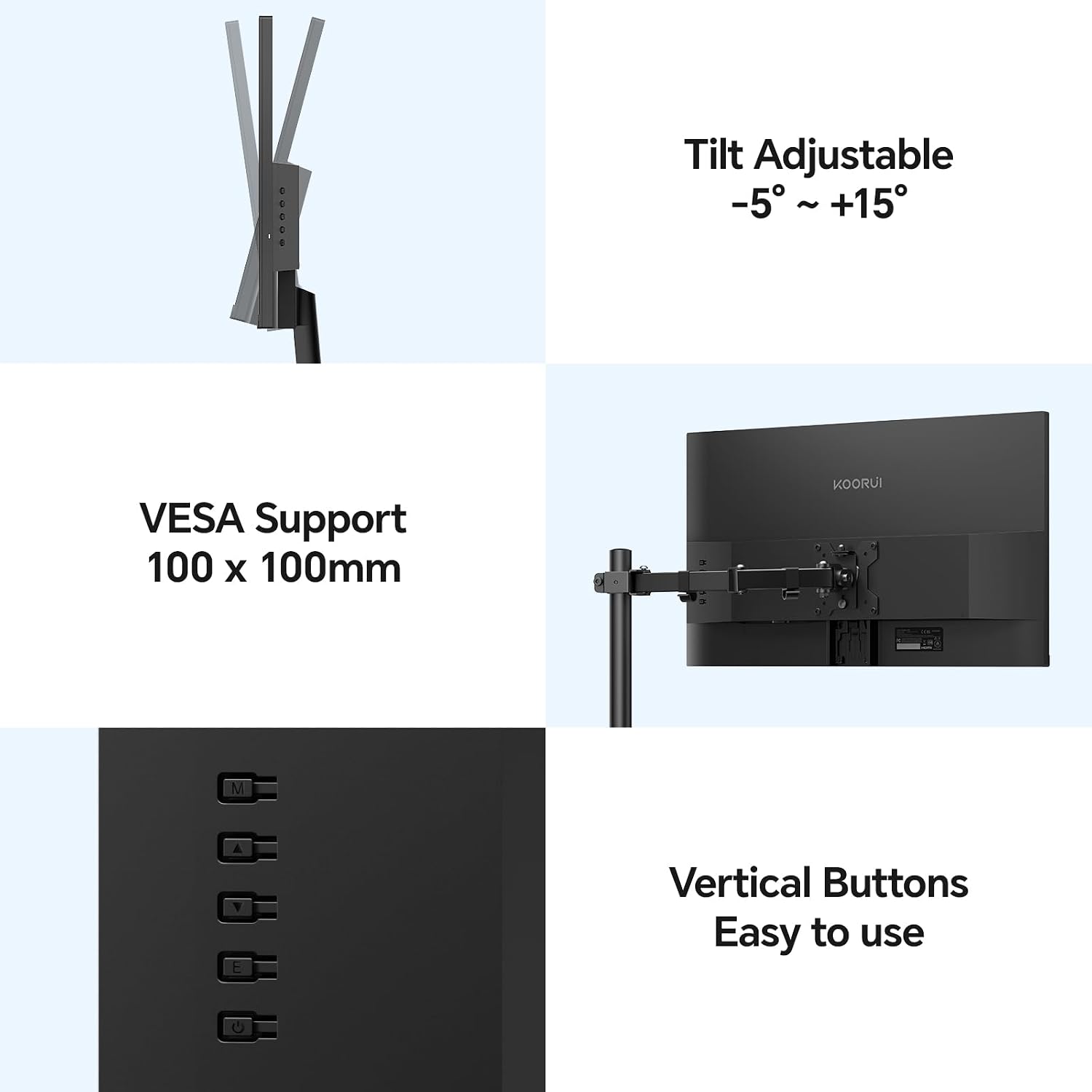
[ Screen Size ] 22 inches [ Panel type ] VA [Maximum resolution] FHD (1920×1080) [Aspect ratio] 16:9 [Contrast ratio] 3000:1 [Brightness] 250nit [Color gamut] 99% sRGB [Other features] Tilt angle Adjustable (up and down -5 to 15°)
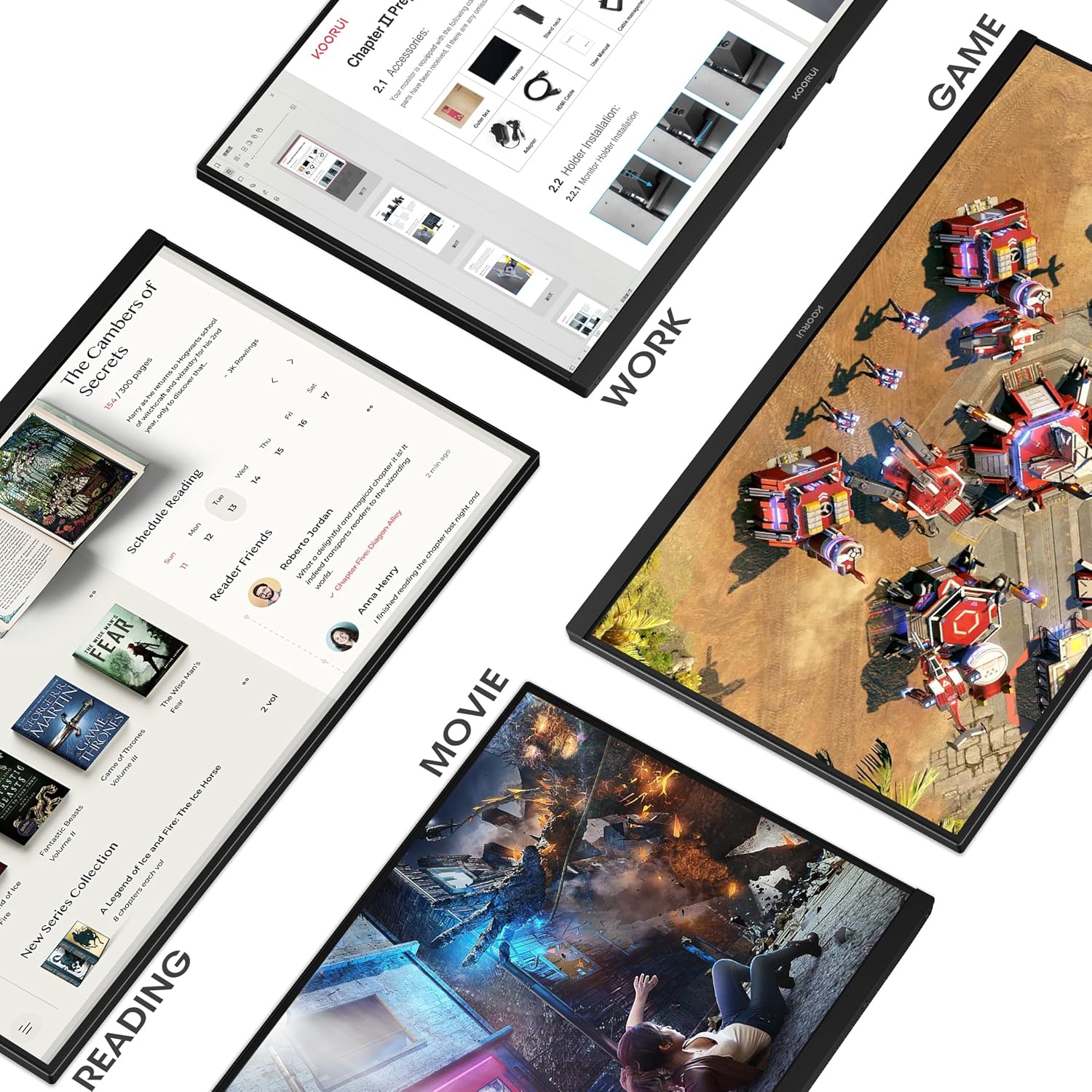
[Features] High refresh rate of 100Hz and response speed of 5ms for smoother images. AdaptiveSync technology is also synchronizing the refresh rate of the GPU and the display, you can achieve the best gaming experience without tearing, stuttering, or screen lag. It is the best gaming monitor for FPS/TPS and action games.
[Overwhelming 3000:1 Contrast Ratio] The KOORU E2212F, 21.5-inch gaming monitor uses a “VA panel” that has excellent light blocking properties and a clear black color, and has a much higher contrast ratio compared to TN and IPS panels. It is a panel that can be taken out.
[Data Interface] HDMI (1.4) x 1, VGA x 1, audio terminal, VESA arm compatible (100x100mm) [Main accessories] HDMI cable (1.4), adapter, stand, instruction manual. [Dimensional Weight] WxHxD(mm): 495x388x185mm; [Weight] 2.3kg [Packing Dimensions] WxHxD(cm): 548x351x93mm; [Power Consumption] 12V2A
[Warranty/Support] With a 3-year warranty service (display screen is backed for 1 year, and other accessories for 3 years), the screen may not be displayed if the export signal source is improperly installed or the signal cable is improperly connected. If you have any problems or questions about the product, please feel free to contact us even on Saturdays and Sundays.
 Overview

les johnson –
Not bad and easier to read than my laptop
reasonable cost, easy set up, a lot of real estate and easy on the eyes. watched a couple of movies, normal editing working. clear and precise Like it so far no problems
Love2dance31 –
The display is phenomenal.
Crystal clear!!! This monitor is worth every penny. I work from home & needed a new monitor. My old one was from the stone age. Glad I found this one. Also, very easy to set up.
Richie –
A good monitor than won’t break the bank.
I have purchased 5 of these monitors for my business and haven’t have any issues with any of them. I actually have one of the set up with a hdmi video player next to my register because they are more reliable than a Roku TV.
Siphandone –
Reasonable Price, Comparable Quality, Crisp screen
Price is good for $70… It’s comparable to my HP monitor (~ same price range) bought 7 years ago. Quality is on par but this one has 100Hz and that’s beneficial. It’s used as a work PC at home (running like 9 hours a day). Screen is crisp… So far so good…
Dan N –
Terrific value for a nice big monitor!
I’m using this as part of a dual display with a Mac Mini, and it’s superb. Great picture, included HDMI cable and worked well with my VESA dual monitor stand.
Brian Toribio –
Good monitor for price
For the price it’s really good , I like the size of the monitor , at first it was too wide for me but I ended up getting adjusted to it ! I use this monitor with my ps5 and my Lenovo laptop. Great for both , the monitor has no audio though so I use my headset or headphones which is fine to me
Retired Engineer –
I’m not a gamer
I’m very happy with this purchase. I have an old custom desktop with Intel HD Graphics 4000 on a Core I7-3770. The Q77AX motherboard Displayport supports up to 2048X1600 75Hz resolution. Happily, When this monitor has a Displayport 1.4 connector. The combination ends up with 2560X1440 59p Hz I’m using this work station for CAD for my 3D printer. This monitor has a bright, crisp presentation and handles videos very nicely. When my kid comes home for Thanksgiving break, I’ll have him try some games.
irisch –
Very nice monitor, but a headace setting it up on the DP port.
After receiving this monitor, I tried to change the input port to DP, as that is all I have on my computers. I could not get into the menu to change it. I was ready to send the monitor back when I tried connecting it to the HDMI port using an adapter that went from HDMI to DP. If I would not had an adapter, I would never have gotten into the menu to change the input. Once I got it changed, I had to power off the monitor quickly, or it kept reverting to HDMI. Once I got over this hurdle, I would rate the monitor 5 stars. Because of this, I can give it only 3 stars. Just so you know, I am ordering another one, now that I know how to get around all these problems. Just remember, if you use a DP, you need to set it up on a HDMI port first. And once you change the setting, power off quickly to keep your changes.
Devilyamato –
“Je suis agréablement surpris par cet écran KOORUI de 24 pouces. L’image est nette, avec une résolution Full HD très claire et des couleurs vives. Le temps de réponse de 5ms et la fréquence de 75Hz rendent les jeux et les vidéos fluides, sans flou ni saccades. J’apprécie particulièrement le mode faible lumière bleue, qui protège mes yeux lors des longues sessions devant l’écran. L’angle de vision est large, et l’installation via VGA ou HDMI est très simple. Le rapport qualité/prix est top pour un écran aussi performant. Je recommande vivement !”
Vraiment très bien 👍 –
Bof attention c’est un écran de PC et en plus il n’y a pas de prise jack dessus
NOAH –
Acheter 2 pour le stream au top.
Naomy –
Très facile à installer et bonne qualité couleurs
Cliente Amazon –
El **KOORUI Gaming Monitor de 24 pulgadas** es una excelente opción para jugadores y usuarios que buscan un monitor asequible pero con características sólidas. Con una resolución Full HD de 1920x1080p y una frecuencia de actualización de 100 Hz, este monitor ofrece una experiencia visual fluida y nítida, ideal para juegos, trabajo o entretenimiento. A continuación, detallo los pros y contras basados en mi experiencia:### **Pros:**1. **Calidad de imagen**: La resolución Full HD proporciona colores vibrantes y detalles claros, perfectos para juegos y películas. Además, el modo Eye-Saver reduce la fatiga visual durante largas sesiones de uso.2. **Frecuencia de actualización de 100 Hz**: Aunque no es tan alta como otros monitores gaming, los 100 Hz ofrecen una experiencia más fluida que los 60 Hz estándar, especialmente en juegos rápidos.3. **Adaptive Sync**: Esta tecnología ayuda a reducir el tearing y los stutters, lo que mejora la experiencia de juego al sincronizar la tasa de refresco del monitor con la tarjeta gráfica.4. **Diseño ergonómico**: El soporte ajustable permite inclinar el monitor para encontrar el ángulo perfecto, lo que es ideal para largas sesiones de trabajo o gaming.5. **Altavoces incorporados**: Aunque no son de alta fidelidad, los altavoces integrados son útiles para quienes no quieren invertir en parlantes externos.6. **Montaje VESA**: El soporte VESA de 75×75 mm permite montar el monitor en pared o en un brazo articulado, lo que añade versatilidad a su colocación.### **Contras:**1. **Frecuencia de actualización limitada**: Aunque 100 Hz es una mejora respecto a los 60 Hz, los jugadores más exigentes podrían preferir monitores con 144 Hz o más.2. **Altavoces básicos**: Los altavoces integrados son funcionales, pero no ofrecen un sonido de alta calidad. Para una experiencia auditiva óptima, se recomienda usar auriculares o parlantes externos.3. **Ajustes limitados**: Aunque incluye inclinación, no tiene ajuste de altura, giro o pivot, lo que podría ser una limitación para algunos usuarios.4. **Brillo máximo**: El brillo podría ser un poco bajo en ambientes muy iluminados, lo que afecta la visibilidad en ciertas condiciones.### **Conclusión:**El **KOORUI Gaming Monitor de 24 pulgadas** es una excelente opción para quienes buscan un monitor económico pero con características gaming. Su resolución Full HD, frecuencia de actualización de 100 Hz y tecnología Adaptive Sync lo hacen ideal para jugadores casuales. Sin embargo, los usuarios más exigentes podrían echar de menos una mayor frecuencia de actualización y ajustes ergonómicos adicionales. En general, es una gran compra por su relación calidad-precio. ¡Recomendado para quienes buscan un monitor versátil y funcional!