


-22%
Sale!




Product description

The video showcases the product in use.The video guides you through product setup.The video compares multiple products.The video shows the product being unpacked. Govee RGBWIC TV Backlight 3 Lite Merchant Video


1 Fish-eye Correction 2 Color-Matching 3 Upgraded Camera


1 Marvelous Experience 2 Universe 3 Sci-fi 4 Immersive Watching 5 4000K Pure White

The calibrated image still has slight distortion. Will it affect color capturing?
It will not affect the color capture area and sync. It is typical for the corrected image to be slightly curved. Due to the differences in TV panels, color adjustment is required after completing the camera correction to get the closest color to TVs.
Why can the camera be installed on the top of the TV only?
The camera must be installed on top of the TV to prevent ceiling light from being reflected on the TV screen, affecting the color-picking results and obtaining a better viewing experience.
How do I reinforce the LED strip light and camera?
Press firmly when sticking the strip light and use the provided cable clips to reinforce. The extra 3M stickers can be attached to the counterweight’s silicone grip for additional attachment strength.
Do you have to have 2.4G Wi-Fi for the backlight to match and react with your TV screen?
A 2.4 G Wi-Fi connection is required to connect the light and use with Video Mode. 5G is not supported.
What TV thickness range is suitable for the 3 Lite TV light strip?
The suitable TV thickness range is 4mm-35mm.
Add to Cart
Add to Cart
Add to Cart
Add to Cart
Customer Reviews
4.5 out of 5 stars 7,428
4.6 out of 5 stars 69
4.5 out of 5 stars 6,068
4.5 out of 5 stars 7,428
4.5 out of 5 stars 7,428
4.5 out of 5 stars 6,068
4.5 out of 5 stars 6,068
Price
$69.99$69.99
$179.99$179.99
$99.99$99.99
$52.99$52.99
$87.99$87.99
$119.99$119.99
$219.99$219.99
Suitable TV Size
55-65 inch
55-65 inch
55-65 inch
40-50inch
75-85 inch
75-85 inch
98-100 inch
Fish-eye Correction Function
✔
✘
✘
✔
✔
✘
✘
HDR Image Sensor
✘
✔
✘
✘
✘
✘
✘
Color
RGBIC+W & Color-match
RGBIC+W+W & Color-match
RGBIC & Color-match
RGBIC+W & Color-match
RGBIC+W & Color-match
RGBIC & Color-match
RGBIC & Color-match
Gravity-mechanism Structure
✔
✔
✔
✔
✔
✔
✔
Black Bars Exclusion
✔
✔
✘
✔
✔
✘
✘
Ultra-thin TV
✔
✔
✔
✔
✔
✔
✔
Blank Screen Detection
✔
✔
✔
✔
✔
✔
✔
Color-match
Camera
Triple-camera
Dual-camera
Camera
Camera
Dual-camera
Dual-camera
Lamp Beads
30 LEDs/m
75 LEDs/m
60 LEDs/m
30 LEDs/m
30 LEDs/m
60 LEDs/m
60 LEDs/m
Music Modes
11
16
4
11
11
4
4
Connection
Wi-Fi+Bluetooth
Wi-Fi+Bluetooth
Wi-Fi+Bluetooth
Wi-Fi+Bluetooth
Wi-Fi+Bluetooth
Wi-Fi+Bluetooth
Wi-Fi+Bluetooth
Package Dimensions : 8.11 x 6.5 x 3.11 inches; 1.61 Pounds
Item model number : H6099
Date First Available : November 13, 2023
Manufacturer : Govee
ASIN : B0CHS2BGHY
Customer Reviews: 4.5 4.5 out of 5 stars 7,428 ratings var dpAcrHasRegisteredArcLinkClickAction; P.when(‘A’, ‘ready’).execute(function(A) { if (dpAcrHasRegisteredArcLinkClickAction !== true) { dpAcrHasRegisteredArcLinkClickAction = true; A.declarative( ‘acrLink-click-metrics’, ‘click’, { “allowLinkDefault”: true }, function (event) { if (window.ue) { ue.count(“acrLinkClickCount”, (ue.count(“acrLinkClickCount”) || 0) + 1); } } ); } }); P.when(‘A’, ‘cf’).execute(function(A) { A.declarative(‘acrStarsLink-click-metrics’, ‘click’, { “allowLinkDefault” : true }, function(event){ if(window.ue) { ue.count(“acrStarsLinkWithPopoverClickCount”, (ue.count(“acrStarsLinkWithPopoverClickCount”) || 0) + 1); } }); });
Upgraded Govee Envisual Technology: The upgraded chip provides stronger performance with a fish-eye correction function, expanding the effective range to provide more accurate color-matching along the edges.
4-in-1 Lamp Bead: RGBICW TV lights add an extra warm white chip into the color mix, a purer white tone and the improved pixel density make the lighting effect more vivid and natural, which helps enhance immersive movie watching and gaming.
Gravitational Hanging Design for Camera: Simplify installation and adapt for ultra-thin TVs. You can use the adhesive to stabilize it without wobble, when installing the camera.
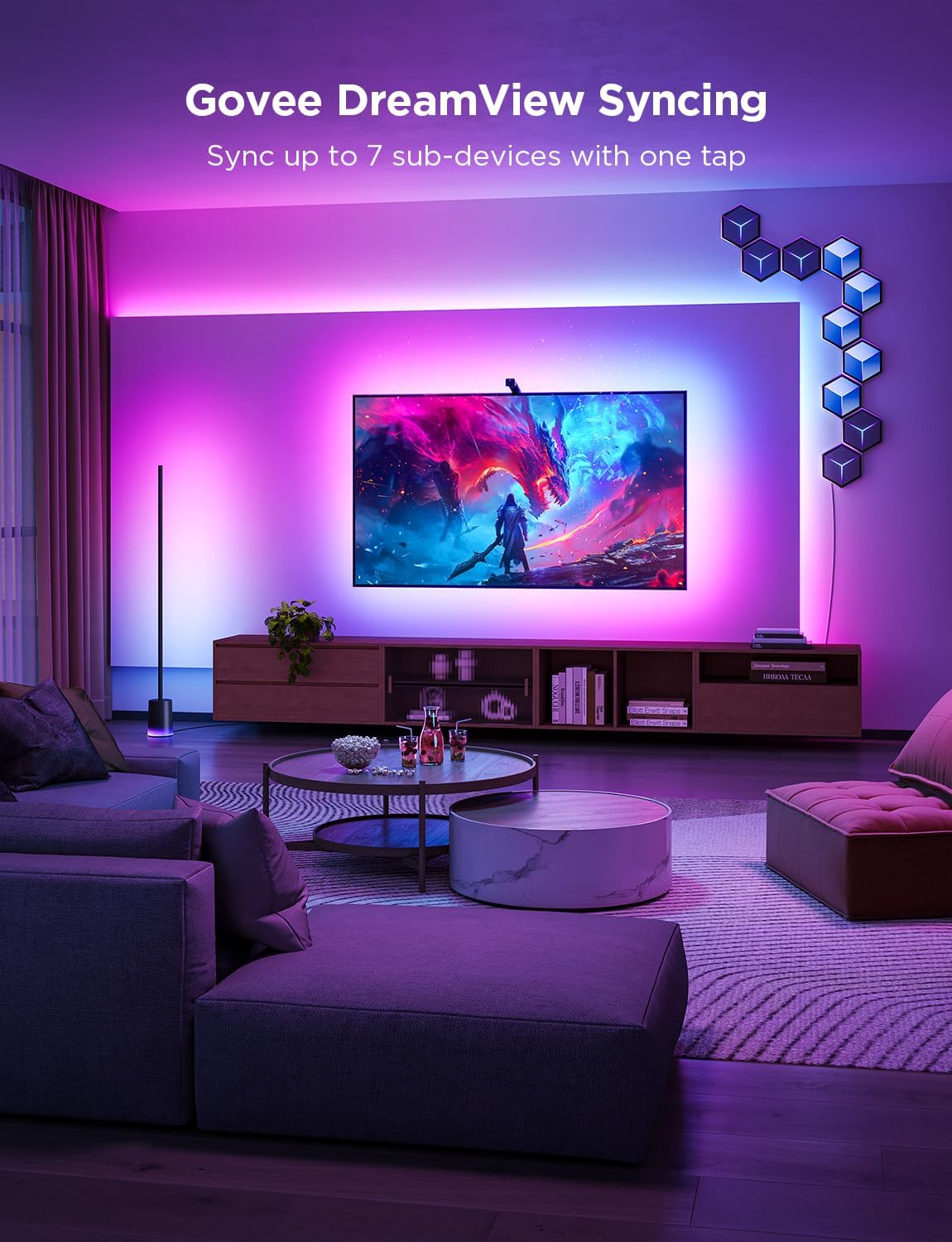
Govee DreamView Syncing: The function realized the linkage of Govee lights. Add up to 7 sub-devices to sync the lighting effects of the 3 Lite, create a 360° immersive view experience, and enrich the light mapping effects within the home environment.
Full Compatibility for Any TV Content: The 3 Lite can instantly capture the color of any TV screen for color matching without compatibility issues. Use the TV lights while streaming content, watching online videos, gaming, etc.
Smart Activation: Manage your TV LED strip lights via Govee Home APP or simple voice commands via Alexa and Google Assistant. Choose from black bar elimination, blank screen detection, 99+ preset light effects, and more with a simple tap on the App.
 Overview

Chee Hoo –
Magical TV Backlight With Amazingly Accurate and Vivid Colors
I had very high expectations for this Govee 3 Lite backlight and it surpassed all of them by a mile. This Govee 3 Lite with proper set up, calibration and correct settings looks absolutely magnificent with beautiful and accurate colors that it adds so much to my TV viewing experience.Most of the “bad” reviews on here is USER ERROR because the person can’t even bother to do the most basic research therefore he/she doesn’t know how to set it up, calibrate and adjust settings correctly. So here are some tips and settings that may help others. For accurate colors it’s vital to set your white light accurately first since all other colors blend off of white. Also your TV’s brightness setting has a minor impact on the LED strip brightness as well. So I maxed out my TV’s brightness and then I set my LED strip to my liking and then brought my TV’s brightness back down to my normal setting of 80/100. Now I have an LG OLED and OLED’s have perfect black levels and near perfect colors out of the box, so you may not get the exact results I did. But it doesn’t hurt to give it a try and see if it helps your Govee set up if you are not satisfied with your colors.1. Put the camera dead center of your TV and at 90 degrees.2. Install the light strip as close as you possibly can to the edge of your TV. I’ve seen youtube videos where people install them 2″ to 3″ inward from the edge (I get it if you have no choice because your back panel has a weird shape or is not completely flat along the edges) and that gives such a tiny light spread on the wall and also leads to dead spots in the corners because the light is set too far away and that causes the TV’s corners to cast a shadow on the wall leaving a dead spot.3. When you calibrate with the orange squares make sure the gray box ends up looking either like a bow tie or a rectangle. I added pictures of my actual calibrations of both shapes to my review to give you an idea of what I’m talking about. After playing around with the calibration I discovered that for my TV a bow tie shape gives me the most accurate and uniform colors because I have a semi-glossy TV stand and it helps to prevent the camera from seeing past the bottom edge of my TV and catching whatever colors that are reflecting back up off my TV stand so it doesn’t interfere with the actual colors coming from my screen.4. When you adjust the “color calibration, saturation, white balance, etc.” in the app do it in a dark room.4a. “Saturation” setting needs to be dropped way down to give you accurate colors. I keep mine between 1%-5%. If you’re one of many people that’s having problems with your white light looking green, dropping the saturation down a lot should fix that problem and give you a nice white light that will go a long way in giving you accurate colors across the board.5. “White balance” default is 50% but it looks a little too blue on my LG OLED so I keep my white balance a little more on the red side at 70%-75% and I get a nice slightly warmer white that works wonders in getting accurate colors all around. Google “pure white” background and use that to adjust your white balance and saturation.6. “Relative Brightness” default is 50%. I set mine all the way up to 100% on all four sides and then I control the brightness level with the main brightness slider which when it’s a bright room I set it to 100% and when it’s a dark room I set it to 47% because that’s the percentage I found that when the screen or parts of the screen goes dark so do the corresponding lights which only adds to the immersive viewing experience.7. If you want your lights to show all the different colors as you watch TV you need to choose “part” in the app. If you choose “whole” you will get only solid colors on all four sides.8. You can choose either “movie” or “game” but personally I leave mine to “movie” unless I’m actually gaming. The difference between them is with “game” the colors switch a little faster but that leads to a lot more flickering which can be very distracting. With “movie” it’s a softer and smoother transition.9. I love that I can connect my Govee kit to my Alexa app by adding it in the “skills” section which allows me to control the backlight with voice commands for things like turning the LED strip on and off or the brightness up or down or setting a timer/routine to turn the LED strip on or off at a certain time of day I set.Thankfully I had a few weeks to do a lot of research and also check out youtube videos before Prime Day when I was able to purchase this kit for $46 for the 40″-50″ size.And it was in doing this research that made my set up super easy with no problems at all when my kit arrived. All told it took me about two hours from start to finish to install and set up my backlight settings to get it perfect for my LG OLED TV.It took me longer than most people since I went all OCD when figuring out the exact placement, spacing, height and measurements of the lights to get the best possible light spread on my wall and it was all worth it since my LED’s look fantastic because I have a full and wide light spread and the colors are so evenly dense with no dead spots in the corners like I’ve seen on so many other set ups.I was worried that the whole calibration thing would be a PITA since a lot of reviewers seem to struggle mightily with getting it right. For me, it was super simple because through my research I learned what not to do and avoided all the pitfalls that plague others.The proof is in the pudding. I’ve added screenshots of the settings I use and a sample video with those settings and my lights are mesmerizing and gorgeous. Check it out!
Marcus –
The Ultimate Enhancement for Your Home Theater Experience
I recently installed the Govee TV Backlight 3 Lite on my 75-inch TV, and the experience has been nothing short of fantastic. This product truly enhances the home theater experience with its vibrant lighting and advanced features. I like the technology with the camera and how it automatically adjusts the lights to what is on the screen.The design of the Govee TV Backlight 3 Lite is sleek and user-friendly. The strips are flexible and can be easily attached to the back of the TV using the strong adhesive provided. The process of installation was straightforward—I simply cleaned the back of the TV, applied the strips, and connected the cables. The inclusion of clear, step-by-step instructions made the setup quick and hassle-free.One of the standout features of this backlight system is the Fish-Eye Correction Function. This feature ensures that the lighting remains uniform and accurate, even around the curved edges of larger TVs. On my 82-inch TV, the fish-eye correction worked brilliantly, resulting in an even distribution of light that enhances the viewing experience without any distortion or overly concentrated spots.The syncing capability of the Govee TV Backlight 3 Lite is impressive. The lights seamlessly sync with the scenes on the screen, creating a dynamic and immersive atmosphere. Whether I’m watching a movie, playing video games, or just streaming some YouTube videos, the lights enhance the overall viewing experience by extending the on-screen colors to the surroundings. The response time is excellent, with minimal lag, making the transitions smooth and natural.The RGBIC technology employed by Govee ensures a wide range of vibrant colors and customizable modes. The brightness levels are easily adjustable through the Govee Home app, allowing me to set the perfect ambiance for any mood. The colors are vivid and contribute to reducing eye strain, especially during long viewing sessions in a dark room.The Govee Home App adds a layer of convenience and customization. Through the app, I can easily control the light settings, choose from multiple lighting modes, and even create my own light patterns. The app’s interface is intuitive and allows for seamless integration with smart home devices, making it easy to control the lights using voice commands through Alexa or Google Assistant.The overall impact of the Govee TV Backlight 3 Lite on my home viewing experience is significant. It creates an immersive, theater-like environment that enhances both aesthetic appeal and functionality. The light sync feature makes action scenes, colorful animations, and cinematic moments more engaging and visually impressive.The Govee TV Backlight 3 Lite with Fish-Eye Correction Function is a fantastic addition to any large-screen TV setup, especially for 75-85 inch TVs. The fish-eye correction and sync features, combined with the vibrant colors and easy installation, make it a standout product in the market. It has significantly improved my home theater experience, making every movie night and gaming session more enjoyable and immersive. If you’re looking to elevate your viewing experience, I highly recommend the Govee TV Backlight 3 Lite.
Roni Coach –
Movie lighting must have.
This is exactly what it was in the listing. It was very easy to install they stick to the back of the tv very well. The lights strip is good quality and they wont fall off the tv even from the heat.. The app is easy to use. Will say there are a lot of options to control it from the app. Once the control box is behind the tv your not going to be reaching back there to turn it off and on. I have mine connected to Alexa and Google so i can control them with my voice. They look great for watching movies even in a somewhat lit room. Be mindful of the camera on the top of the tv I did have to calibrate it 7 times cause it wasn’t picking up all the corners and i accidentally hit the camera while walking around if your tv is on the wall you have nothing to worry about unless you have my first issue of it not catching the corners properly. The little orange squares don’t stick too well especially since i had to do this several times. Even tried it without the squares and still had problems. The video was recorded after the second time of calibrating it. The problem comes when you try to get the hue right. Everything white makes the lights turn red so i had to mess with the saturation and the white balance on color calibration feature on the app to get it as close as possible to the white on the tv and its still something i have to adjust ever time i watch something.(Shown in the second picture)
Hussain S. –
It’s nice so far and very easy to install
Jade & Ju –
Amazing Upgrade for My TV Setup!I absolutely love these Govee TV backlights! The colors are bright, vibrant, and really bring my movies, shows, and gaming to life. The camera with fish-eye correction works perfectly and matches the lights on the screen with incredible accuracy. Setup was quick and easy, and I was able to control everything through the app and with Alexa voice commands.It makes my 65-inch TV look like a completely new experience, and the immersive effect is unreal. Definitely worth every dollar—highly recommend to anyone looking to upgrade their home theater!
Sebastian Velasquez –
Acabo de probar este modelo para mi TV de 55-65 pulgadas y la verdad me gustó bastante.✅ La instalación es muy sencilla; solo hay que pegar la tira LED y colocar los puntos naranjas para calibrar con la cámara fish-eye.✅ Los colores se ven muy intensos y sin delay notable cuando cambian con la imagen de la pantalla.✅ Tiene bastantes modos de iluminación y se controla fácil con la app Govee Home.✅ La cámara no es tan estorbosa como pensé, aunque se ve un poco arriba de la pantalla.❌ Lo único es que la calibración toma su tiempo y la cámara siempre estará visible (por si eres muy detallista con la estética de la pantalla).💡 Conclusión:Si quieres un setup más inmersivo para gaming o películas, vale mucho la pena. La función de sincronización de colores funciona bien, y la tira RGBICW ofrece tonos más reales que otros modelos básicos de LED.
Alma fonseca –
Excelente producto !! Muy buena iluminación , fácil de instalar 👌🏻
Faizaan –
I recently purchased the Govee TV Backlight 3 Lite for my 45-inch TV, and I’m blown away by the immersive viewing experience it provides! The RGBICW Wi-Fi LED backlight is incredibly easy to set up and syncs perfectly with my TV.The fish-eye correction function is a genius feature that ensures the backlighting is evenly distributed and tailored to my TV’s dimensions. The 7.8ft length is perfect for my TV size, and the adhesive strips make it easy to secure.But what really impressed me is the amazing after-sales service provided by Govee! I had a minor issue with the camera calibration, and their customer support team responded promptly and helped me resolve the issue within minutes.The team’s professionalism, patience, and willingness to help exceeded my expectations. They truly went above and beyond to ensure I was satisfied with my purchase.Overall, I highly recommend the Govee TV Backlight 3 Lite to anyone looking to elevate their TV viewing experience. The product is outstanding, and the customer service is top-notch!