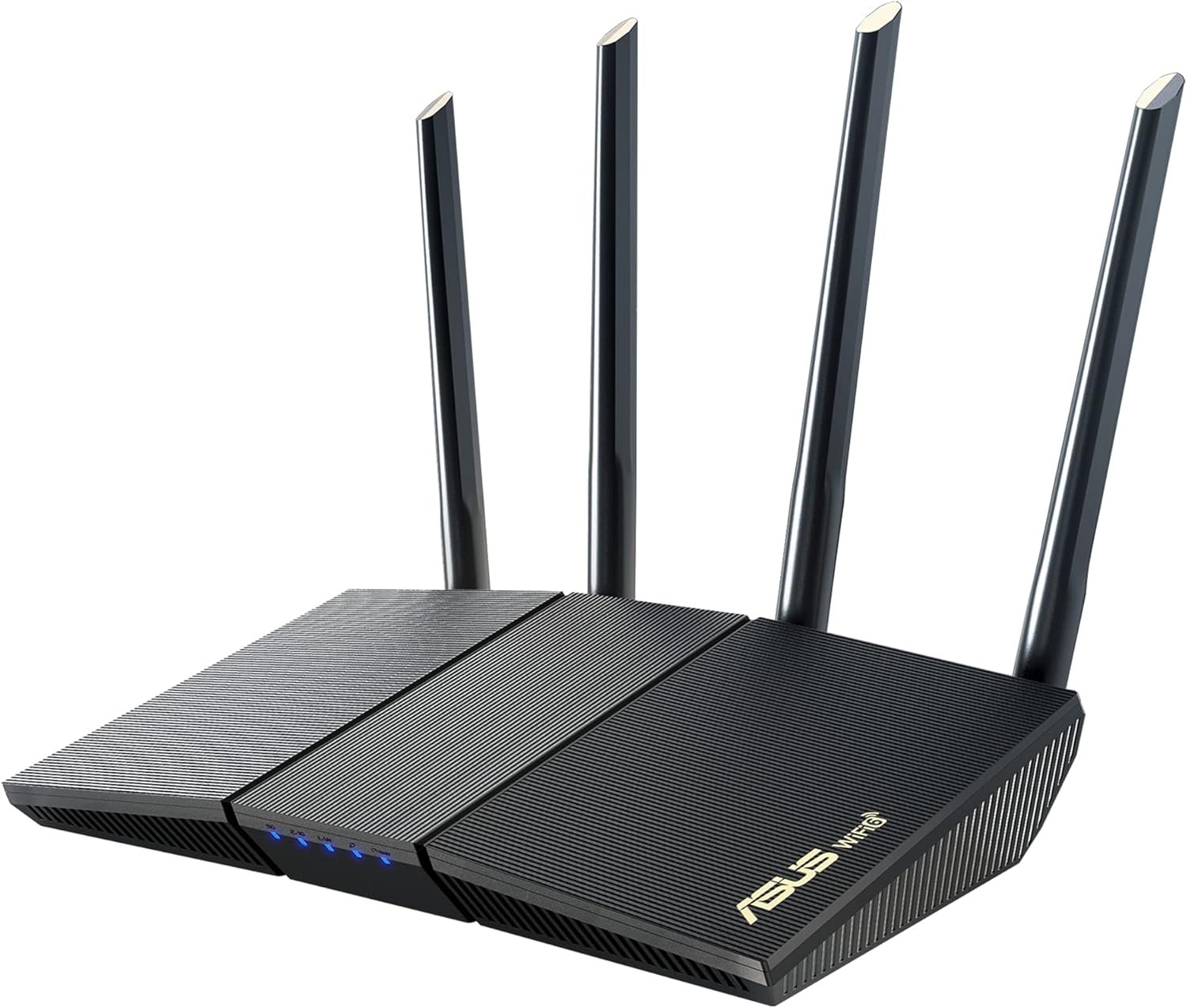
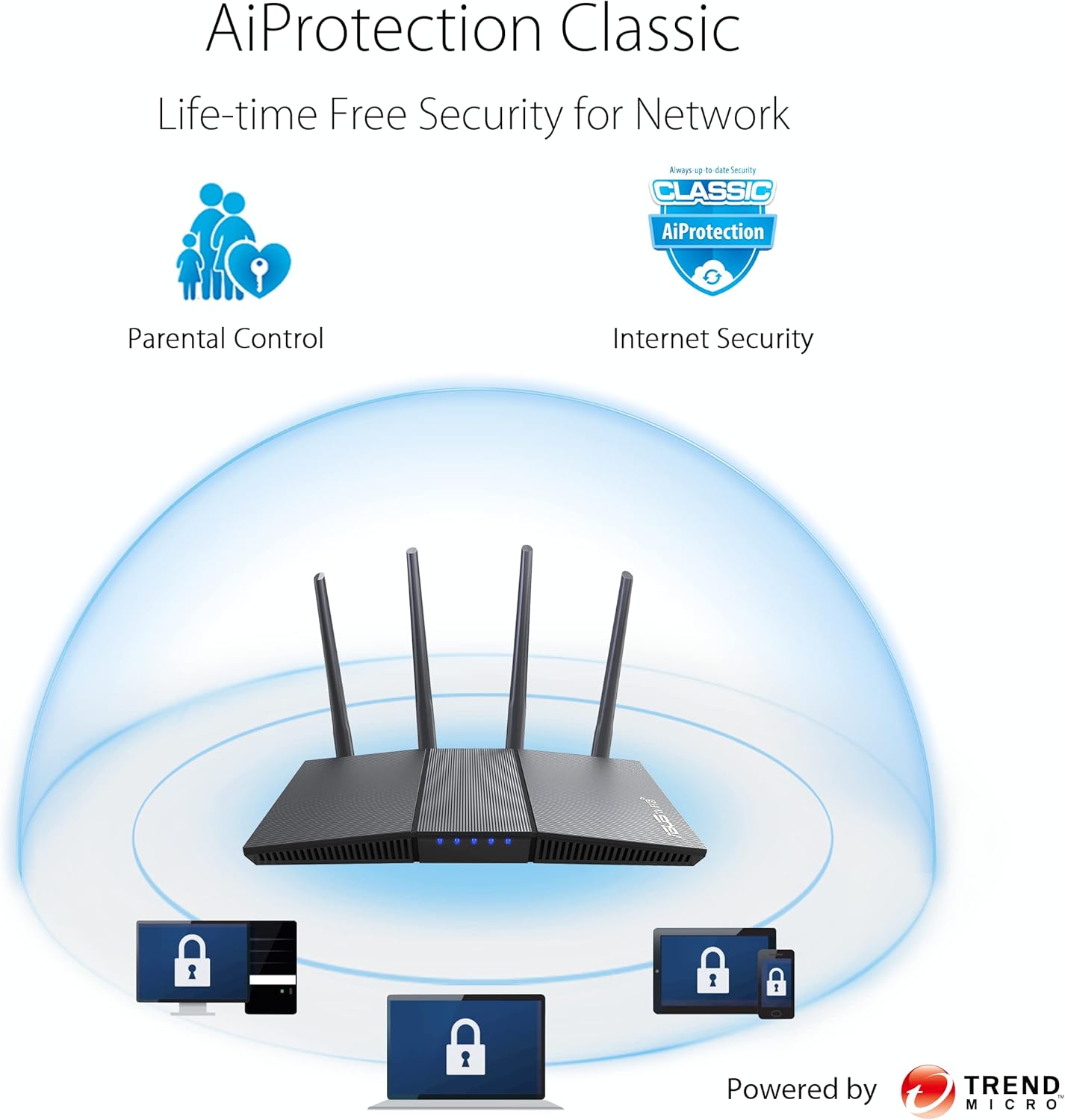
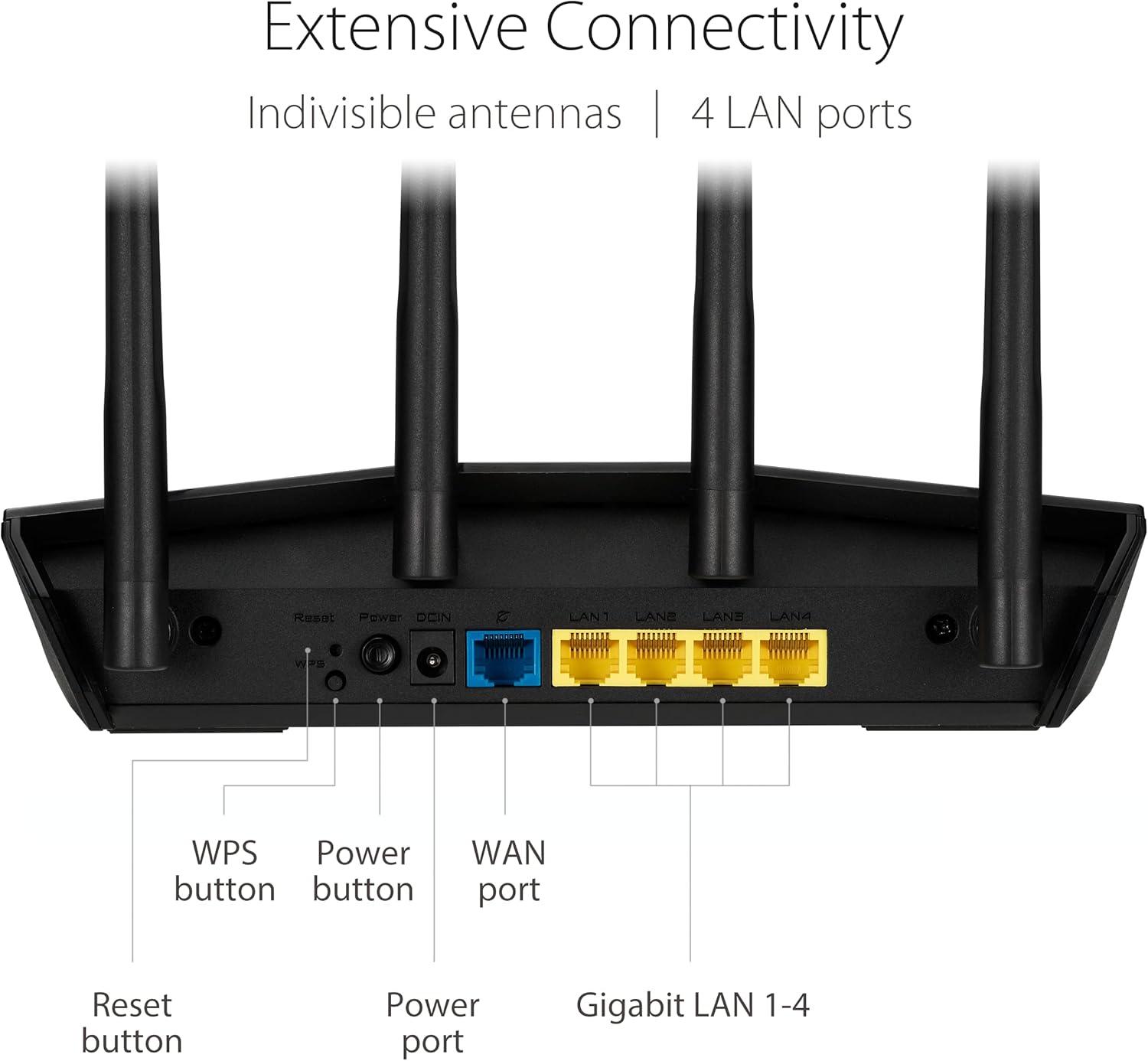
The growing number of connected personal and IoT devices has led to an overall increase in network density that is pushing the limits of the current WiFi standard. RT-AX1800S is a 2×2 dual-band WiFi router that provides 80MHz bandwidth and 1024-QAM for dramatically faster wireless connections, greater coverage and improved battery life for connected devices, providing a significantly better networking experience for users. Disclaimer: Actual data throughput and WiFi coverage will vary from network conditions and environmental factors, including the volume of network traffic, building material and construction, and network overhead, result in lower actual data throughput and wireless coverage. New-Gen WiFi Standard – WiFi 6(802.11ax) standard supporting MU-MIMO and OFDMA technology for better efficiency and throughput.Antenna : External antenna x 4. Processor : Dual-core (4 VPE). Power Supply : AC Input : 110V~240V(50~60Hz), DC Output : 12 V with max. 1.5A current. Ultra-fast WiFi Speed – RT-AX1800S supports 1024-QAM for dramatically faster wireless connections Increase Capacity and Efficiency – Supporting not only MU-MIMO but also OFDMA technique to efficiently allocate channels, communicate with multiple devices simultaneously 5 Gigabit ports – One Gigabit WAN port and four Gigabit LAN ports, 10X faster than 100–Base T Ethernet. Commercial-grade Security Anywhere – Protect your home network with AiProtection Classic, powered by Trend Micro. And when away from home, ASUS Instant Guard gives you a one-click secure VPN. Actual data throughput and Wi-Fi coverage will vary from network conditions and environmental factors, including the volume of network traffic, building material and construction, and network overhead, result in lower actual data throughput and wireless coverage.
Specification
Overview
Customer Reviews
Rated 0 out of 5
10 reviews
Rated 5 out of 5
0
Rated 4 out of 5
0
Rated 3 out of 5
0
Rated 2 out of 5
0
Rated 1 out of 5
0
10 reviews for ASUS RT-AX1800S Dual Band WiFi 6 Extendable Router, Subscription-Free Network Security, Parental Control, Built-in VPN, AiMesh Compatible, Gaming & Streaming, Smart Home
great router!!
bought this to use as a dedicated router for wireless PCVR and it works great, very very simple to get set up and it looks pretty damn cool; i dont mind having it out on my desk. speeds are fast as they should be, never had any connectivity issues with it yet, though the router does get a little warm but thats normal for any routeranyways, 5/5 stars most definitely would recommend for PCVR or if you just want a good router that isnt the one you got from your ISP.
Solid, Reliable WiFi 6 Router with a Clean Interface
This is a really nice router, especially at this price point. Setup was straightforward, and the user interface is clean and easy to navigate — whether you’re adjusting basic settings or diving into more advanced options.So far, it’s been rock-solid in terms of reliability. Good range, stable connections, and noticeably faster performance compared to my older WiFi 5 router. I haven’t had to reboot or troubleshoot once since installing it.If you’re looking for an affordable WiFi 6 upgrade that just works, this is a great choice.
Highly recommend! Easy to set up and use!
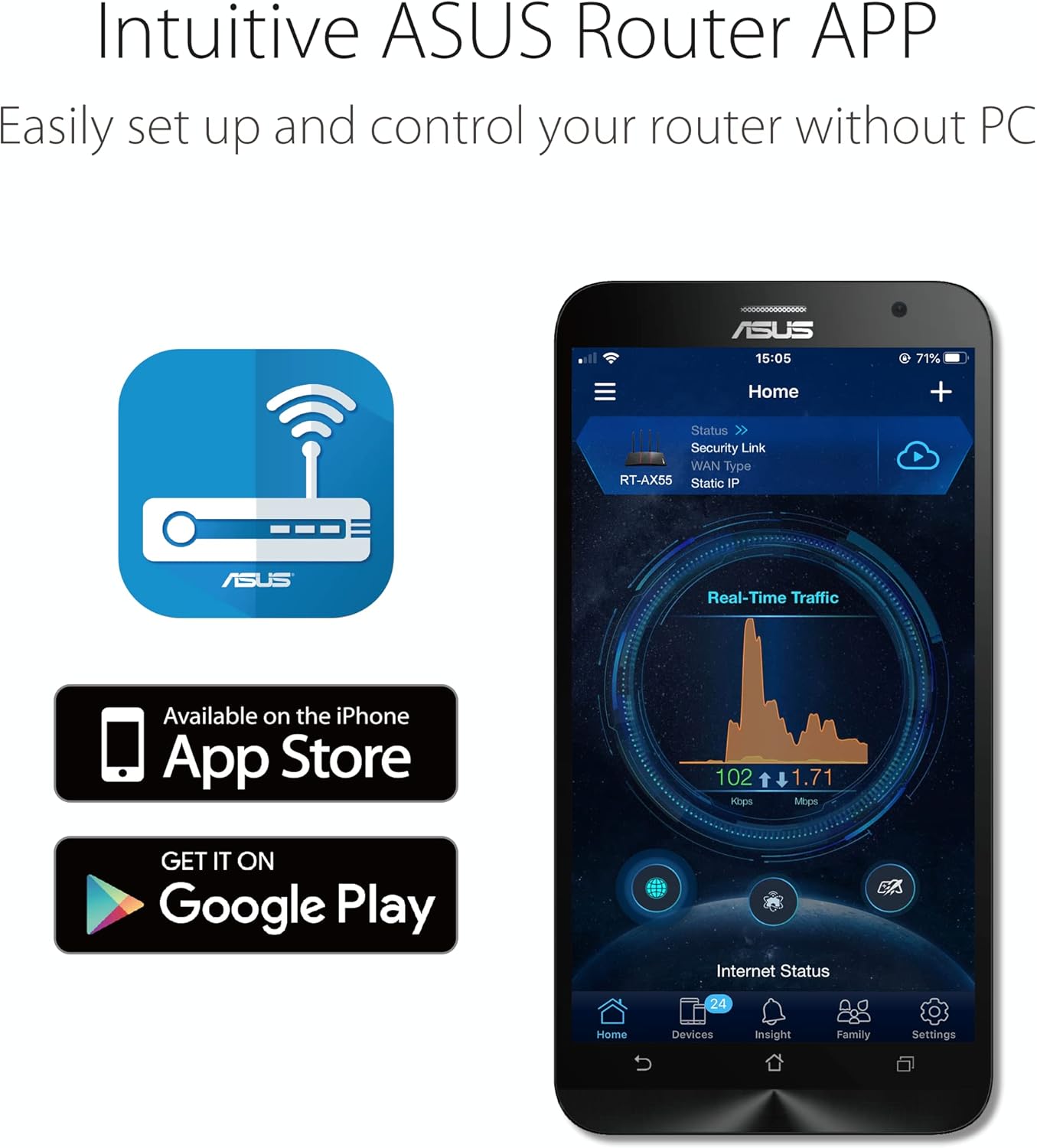
Granted, I just got this router in so I can’t speak too much on the reliability yet. However, I will say the looks of it is really nice. It’s smaller than my prior router (which I will get into in a bit) and the aesthetics is rather nice. Looks like a futuristic device. Setup was easy especially through the ASUS app. I didn’t try logging in with a device plugged in until after it was set up, but again, super easy set up that even a beginner/novice can do. Devices connect wirelessly without a problem and I can’t wait to test it out throughout the house. What attracted this particular ASUS router to me was the very fact that it said “subscription free.” This was attractive because my prior router (which I don’t think I’d be allowed to name) stopped working after accidentally unplugging it. I couldn’t access it to re-setup my wireless network even after rebooting it and later, trying to reset to factory settings. I called their (the prior router manufacturer) support number for help and they wouldn’t even bother unless they charged me $180 – $250 for something they called a “firewall security renewal.” This wasn’t their “bit defender”/anti-virus thing they have separately. No, they were wanting to charge me for something ridiculous before they would help me. At that point, I just said “Forget it. I’m not paying that! And I’m never buying any of your routers again if that’s the kind of business/scheme you’re running.” They didn’t seem to care. I came upon this ASUS router on Amazon. Again, the “subscription free” part was very attractive to say the least. The GUI was by far more pleasing in aesthetics to look at than the other one, and so far I’m happy overall with this new router. It seems to work better and faster than my prior router (which is old, I know) so that should be a given. If you’re looking for a hassle free router with hassle free set up? This might be your go-to.
Very good router.
This is a very good router and a very reasonable price point. Bought it to replace my trash Xfinity one and this one is worlds better. The range is great on 2.4Ghz and also decent on 5Ghz with great speed. This one even supports Wifi 6 (if you don’t know what it is, you don’t need it) which is cool for PC gaming. It uses an app which is fantastic, it lets you control almost everything to which band you want to use, to who and what is connected currently to your network. Setup was very easy if yo e capable of reading and following directions, just had to scan a QR code basically. If you’re technologically stubborn or don’t want to use the app, don’t buy it because you won’t be able to use the router to it’s fullest ponential, and for updates. If you suck at updating things, the router will crash or drop connection, so again you HAVE to use the app to keep everything updated.
NOT made in China. Fast, excellent security.
You can verify everything written here is true with a quick google search. Talking to you, Amazon.While ASUS does source some production to China, ASUS is a Taiwanese company and the sticker on the router states “Made in Vietnam”. I’m inclined to believe that. The product origin on this page states “China” but I doubt, and hope, that’s not true. You may not think it matters, but it does more than you might know.Most consumers only care about speed and affordability when it comes to routers, but it should be security at the top of the list. All your data flows through your router, including personal and financial data. Security flaws in your network can also affect neighboring networks around you. If you buy a cheap router based on speed capability alone with security flaws built in, either intentionally or not, you’re basically paying to be hacked, or for your neighbors to be, or possibly unknowingly being a conduit for attacks on your entire country. It has happened in the past, it’s still happening, and will continue to happen.Most routers today are produced in China. Even companies based in the US produce there and it’s very hard to find one that’s not made there. The problem with routers made in China is that ultimately, businesses there are controlled by the CCP government, not the business owner. This allows their government to implement whatever they want in their exported tech and products. It’s why some of their tech companies like Huawei have been banned in numerous countries. Routers made in China from brands like Wavlink which are sold in big retail stores across the US have been found to contain hidden back doors and intentional security holes and vulnerabilities to malware like Mirai. Basically open doors for hackers. Some of these back doors have been used in the past to launch cyber attacks (Mirai botnet) on the US which caused major network outages, as well as in other countries. From a cybersecurity perspective, these look a lot like “trial runs” to me. But speculation and paranoia aside, why take the chance on inviting that kind of tech into your home? It wasn’t an isolated, one time event when these back doors were discovered, and it was with various routers and companies out of China. Again, all this is verifiable with the slightest amount of research using credible sources.I have tried some routers made in China. I could tell they had horrible security just by using the app, or during setup. One was capable of remote access, yet the option to turn it on or off was non existent. It didn’t even ask during set up and the option was nowhere in the app. Remote access should always be turned off, unless you need to access your router from outside your home, which is rarely needed for the average user. If it’s on, it’s just an unnecessary access point open for hackers to attempt access. It might have been possible to check by connecting directly to it using the Web UI, but instead I just returned it and went on the hunt for non-Chinese routers. It took a lot of research since there aren’t many, but finally landed on this one.I am much, much happier with this ASUS router and it seems very security focused! There are numerous security options available in the app, and also asks you about remote access during set up. It has AI Protection by Trend Micro built in (included free of charge) which constantly monitors your network for viruses and intrusions and even blocks harmful websites. You can also monitor all connections and traffic through the app. There are even additional apps you can download for more functionalities.As for speed, WiFi 6 is awesome. This thing is lightning fast to my previous ISP provided router and much more stable. If you’re not familiar with WiFi 6, it’s not really a speed booster. It provides a more stable connection though, even in very signal-congested areas such as apartments or offices where there’s numerous routers and networks overlapping and causing interference. This more stable connection will often times yield higher speeds. Your PC and various hardware must be WiFi 6 capable to utilize it, but there are cheap and affordable USB adapters available to enable it on your PC if it’s not already capable. Aside from that, the 5GHz signal is stable and fast, even without WiFi 6. 2.4GHz is not bad at all either. There are options in the app to monitor what’s connected at all times and you can even limit bandwidth to certain devices, or ban them from connecting completely if you want to streamline your connections.There are a lot more features to this router, which are easily accessed from the app which appears extremely robust compared to the anemic apps I used with the Chinese routers. Those seemed like toys compared to this. I haven’t tried Ai Mesh, but it is yet another useful capability of this router.Completely happy with this router based on speed, stability, capabilities, and most of all, security!
Tengo un poco de conocimiento de como configurar mi red casera. Ha sido muy fácil y tiene muchas opciones para optimizar como el QoS, firewall, seguridad de la red, etc. Funciona perfecto y si tienes algo de conocimientos, puede ser una excelente herramienta para configurar tu home lab
Bonjour,Je tiens à dire en premier lieu que le produit est d’excellente facture et permet de s’adapter à une multitude de configuration, sauf à la mienne et à tout ceux qui veulent se connecter via se routeur au réseau Mesh NordVpn ( a ne pas confondre avec le système Mesh de Asus qui lui est fonctionnel) .Si vous voulez utiliser seulement la protection NordVpn derrière ce routeur cela fonctionne sans problème après l’avoir paramétrée.La protection NordVpn activé sur ce routeur ne permet pas d’intégrer ce routeur au réseau Mesh NordVpn lié à votre compte …Donc ce routeur reste invisible dans le réseau Mesh NordVpn de votre compte et reste donc inaccessible pour un accès distant.Pour finir, certain PC portable comme Mon HP EliteBook 840 ne peuvent pas se connecter au nouveau Wifi de ce routeur !!!De ce fait, Retour à l’expéditeur…NB: en cas de refus de publication AMAZON, merci de préciser CLAIREMENT le motif… Cdlt
Una maravilla sobre todo porque el modem de izzi era muy inestable la conexion, tenemos 1000 MB y con este router trabaja bastante bien la conexion tanto cableada como inalambrica
I’m quite happy with this ASUS router as I’ve used other products from them for years and have never had any issues. I loved that it updates its software settings and that you can even control the led brightness. It is pretty good for a medium size home. I would definitely recommend this product! 🙂






 Overview
Richie –
great router!!
bought this to use as a dedicated router for wireless PCVR and it works great, very very simple to get set up and it looks pretty damn cool; i dont mind having it out on my desk. speeds are fast as they should be, never had any connectivity issues with it yet, though the router does get a little warm but thats normal for any routeranyways, 5/5 stars most definitely would recommend for PCVR or if you just want a good router that isnt the one you got from your ISP.
Amazon Customer –
Solid, Reliable WiFi 6 Router with a Clean Interface
This is a really nice router, especially at this price point. Setup was straightforward, and the user interface is clean and easy to navigate — whether you’re adjusting basic settings or diving into more advanced options.So far, it’s been rock-solid in terms of reliability. Good range, stable connections, and noticeably faster performance compared to my older WiFi 5 router. I haven’t had to reboot or troubleshoot once since installing it.If you’re looking for an affordable WiFi 6 upgrade that just works, this is a great choice.
SSCO80920 –
Highly recommend! Easy to set up and use!
Granted, I just got this router in so I can’t speak too much on the reliability yet. However, I will say the looks of it is really nice. It’s smaller than my prior router (which I will get into in a bit) and the aesthetics is rather nice. Looks like a futuristic device. Setup was easy especially through the ASUS app. I didn’t try logging in with a device plugged in until after it was set up, but again, super easy set up that even a beginner/novice can do. Devices connect wirelessly without a problem and I can’t wait to test it out throughout the house. What attracted this particular ASUS router to me was the very fact that it said “subscription free.” This was attractive because my prior router (which I don’t think I’d be allowed to name) stopped working after accidentally unplugging it. I couldn’t access it to re-setup my wireless network even after rebooting it and later, trying to reset to factory settings. I called their (the prior router manufacturer) support number for help and they wouldn’t even bother unless they charged me $180 – $250 for something they called a “firewall security renewal.” This wasn’t their “bit defender”/anti-virus thing they have separately. No, they were wanting to charge me for something ridiculous before they would help me. At that point, I just said “Forget it. I’m not paying that! And I’m never buying any of your routers again if that’s the kind of business/scheme you’re running.” They didn’t seem to care. I came upon this ASUS router on Amazon. Again, the “subscription free” part was very attractive to say the least. The GUI was by far more pleasing in aesthetics to look at than the other one, and so far I’m happy overall with this new router. It seems to work better and faster than my prior router (which is old, I know) so that should be a given. If you’re looking for a hassle free router with hassle free set up? This might be your go-to.
Drew –
Very good router.
This is a very good router and a very reasonable price point. Bought it to replace my trash Xfinity one and this one is worlds better. The range is great on 2.4Ghz and also decent on 5Ghz with great speed. This one even supports Wifi 6 (if you don’t know what it is, you don’t need it) which is cool for PC gaming. It uses an app which is fantastic, it lets you control almost everything to which band you want to use, to who and what is connected currently to your network. Setup was very easy if yo e capable of reading and following directions, just had to scan a QR code basically. If you’re technologically stubborn or don’t want to use the app, don’t buy it because you won’t be able to use the router to it’s fullest ponential, and for updates. If you suck at updating things, the router will crash or drop connection, so again you HAVE to use the app to keep everything updated.
scuba steve –
NOT made in China. Fast, excellent security.
You can verify everything written here is true with a quick google search. Talking to you, Amazon.While ASUS does source some production to China, ASUS is a Taiwanese company and the sticker on the router states “Made in Vietnam”. I’m inclined to believe that. The product origin on this page states “China” but I doubt, and hope, that’s not true. You may not think it matters, but it does more than you might know.Most consumers only care about speed and affordability when it comes to routers, but it should be security at the top of the list. All your data flows through your router, including personal and financial data. Security flaws in your network can also affect neighboring networks around you. If you buy a cheap router based on speed capability alone with security flaws built in, either intentionally or not, you’re basically paying to be hacked, or for your neighbors to be, or possibly unknowingly being a conduit for attacks on your entire country. It has happened in the past, it’s still happening, and will continue to happen.Most routers today are produced in China. Even companies based in the US produce there and it’s very hard to find one that’s not made there. The problem with routers made in China is that ultimately, businesses there are controlled by the CCP government, not the business owner. This allows their government to implement whatever they want in their exported tech and products. It’s why some of their tech companies like Huawei have been banned in numerous countries. Routers made in China from brands like Wavlink which are sold in big retail stores across the US have been found to contain hidden back doors and intentional security holes and vulnerabilities to malware like Mirai. Basically open doors for hackers. Some of these back doors have been used in the past to launch cyber attacks (Mirai botnet) on the US which caused major network outages, as well as in other countries. From a cybersecurity perspective, these look a lot like “trial runs” to me. But speculation and paranoia aside, why take the chance on inviting that kind of tech into your home? It wasn’t an isolated, one time event when these back doors were discovered, and it was with various routers and companies out of China. Again, all this is verifiable with the slightest amount of research using credible sources.I have tried some routers made in China. I could tell they had horrible security just by using the app, or during setup. One was capable of remote access, yet the option to turn it on or off was non existent. It didn’t even ask during set up and the option was nowhere in the app. Remote access should always be turned off, unless you need to access your router from outside your home, which is rarely needed for the average user. If it’s on, it’s just an unnecessary access point open for hackers to attempt access. It might have been possible to check by connecting directly to it using the Web UI, but instead I just returned it and went on the hunt for non-Chinese routers. It took a lot of research since there aren’t many, but finally landed on this one.I am much, much happier with this ASUS router and it seems very security focused! There are numerous security options available in the app, and also asks you about remote access during set up. It has AI Protection by Trend Micro built in (included free of charge) which constantly monitors your network for viruses and intrusions and even blocks harmful websites. You can also monitor all connections and traffic through the app. There are even additional apps you can download for more functionalities.As for speed, WiFi 6 is awesome. This thing is lightning fast to my previous ISP provided router and much more stable. If you’re not familiar with WiFi 6, it’s not really a speed booster. It provides a more stable connection though, even in very signal-congested areas such as apartments or offices where there’s numerous routers and networks overlapping and causing interference. This more stable connection will often times yield higher speeds. Your PC and various hardware must be WiFi 6 capable to utilize it, but there are cheap and affordable USB adapters available to enable it on your PC if it’s not already capable. Aside from that, the 5GHz signal is stable and fast, even without WiFi 6. 2.4GHz is not bad at all either. There are options in the app to monitor what’s connected at all times and you can even limit bandwidth to certain devices, or ban them from connecting completely if you want to streamline your connections.There are a lot more features to this router, which are easily accessed from the app which appears extremely robust compared to the anemic apps I used with the Chinese routers. Those seemed like toys compared to this. I haven’t tried Ai Mesh, but it is yet another useful capability of this router.Completely happy with this router based on speed, stability, capabilities, and most of all, security!
Nonya –
Works well!
Cliente de Amazon –
Tengo un poco de conocimiento de como configurar mi red casera. Ha sido muy fácil y tiene muchas opciones para optimizar como el QoS, firewall, seguridad de la red, etc. Funciona perfecto y si tienes algo de conocimientos, puede ser una excelente herramienta para configurar tu home lab
BW –
Bonjour,Je tiens à dire en premier lieu que le produit est d’excellente facture et permet de s’adapter à une multitude de configuration, sauf à la mienne et à tout ceux qui veulent se connecter via se routeur au réseau Mesh NordVpn ( a ne pas confondre avec le système Mesh de Asus qui lui est fonctionnel) .Si vous voulez utiliser seulement la protection NordVpn derrière ce routeur cela fonctionne sans problème après l’avoir paramétrée.La protection NordVpn activé sur ce routeur ne permet pas d’intégrer ce routeur au réseau Mesh NordVpn lié à votre compte …Donc ce routeur reste invisible dans le réseau Mesh NordVpn de votre compte et reste donc inaccessible pour un accès distant.Pour finir, certain PC portable comme Mon HP EliteBook 840 ne peuvent pas se connecter au nouveau Wifi de ce routeur !!!De ce fait, Retour à l’expéditeur…NB: en cas de refus de publication AMAZON, merci de préciser CLAIREMENT le motif… Cdlt
Roman Ramirez Bernal –
Una maravilla sobre todo porque el modem de izzi era muy inestable la conexion, tenemos 1000 MB y con este router trabaja bastante bien la conexion tanto cableada como inalambrica
S Tyndale –
I’m quite happy with this ASUS router as I’ve used other products from them for years and have never had any issues. I loved that it updates its software settings and that you can even control the led brightness. It is pretty good for a medium size home. I would definitely recommend this product! 🙂