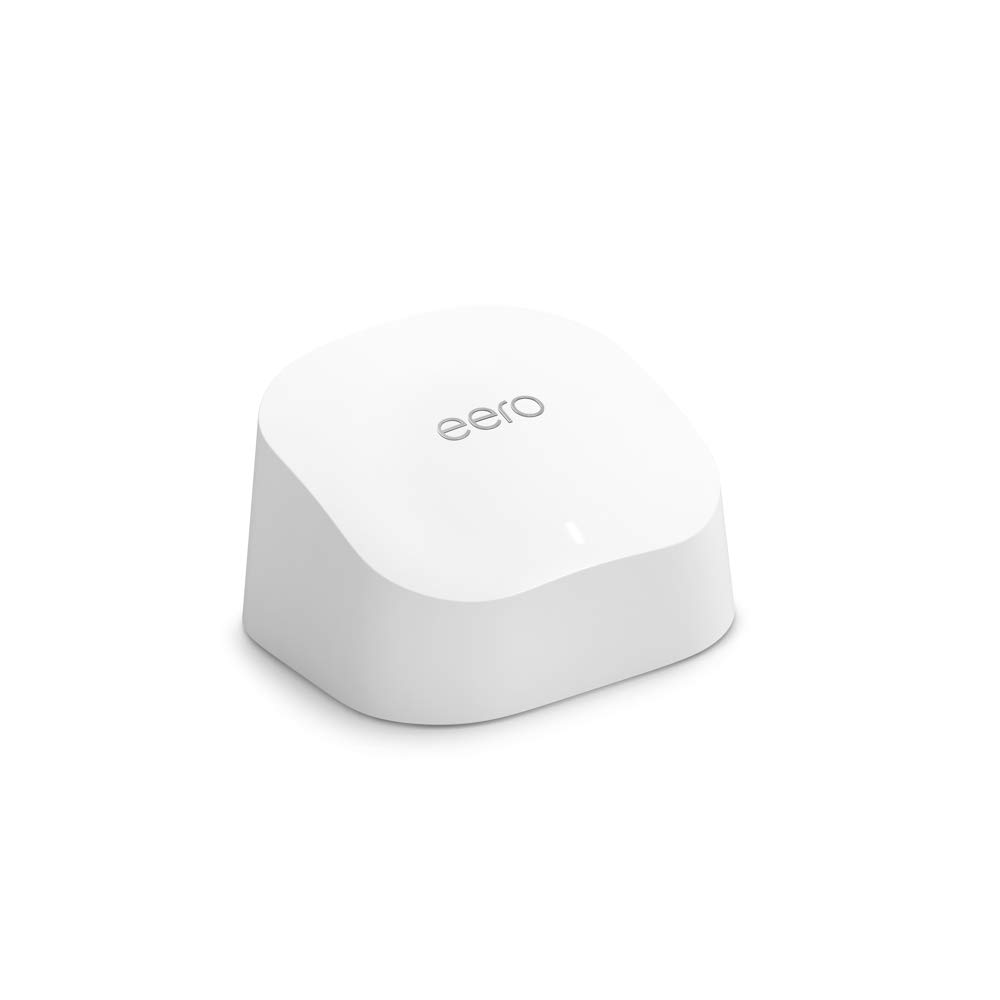
WHOLE-HOME WI-FI 6 COVERAGE – eero covers up to 1,500 sq. ft. with wifi (a 22 foot radius) and supports wifi speeds up to 900 Mbps. SAY GOODBYE TO DEAD SPOTS AND BUFFERING – Our TrueMesh technology intelligently routes traffic to reduce drop-offs so you can confidently stream 4K video, game, and video conference. MORE WIFI FOR MORE DEVICES – Wi-Fi 6 supports faster wifi than prior standards and permits 75+ connected devices. SET UP IN MINUTES – The eero app walks you through setup and allows you to manage your network from anywhere. Plus, free customer support is available 7 days a week in the US at support@eero.com or +1-877-659-2347. BUILT-IN ZIGBEE SMART HOME HUB – eero 6 connects compatible devices on your network with Alexa—so there’s no need to buy separate smart home hubs for each device. GETS BETTER OVER TIME – Automatic updates bring the latest and greatest in eero wifi while also helping to keep your network safe and secure. EASILY EXPAND YOUR SYSTEM – With cross-compatible hardware, you can easily add eero products as your needs change.
Specification
Overview
Customer Reviews
Rated 0 out of 5
3 reviews
Rated 5 out of 5
0
Rated 4 out of 5
0
Rated 3 out of 5
0
Rated 2 out of 5
0
Rated 1 out of 5
0
3 reviews for Amazon eero 6 mesh wifi router – Supports internet plans up to 900 Mbps, Coverage up to 1,500 sq. ft., Connect 75+ devices, 1-pack
Easy installation and improvement over Frontier router
This is an immediate opinion after just setting up the eero. For years I’ve complained about slow internet service through Frontier, the only available service in my rural area. Last year Frontier upgraded my “high speed” service from 6 mbps to 18 mbps, though I actually receive about 24 mbps. The speed is fine for my needs (one person, computer, tablet, phone, Apple TV, no gaming.) I have a small house, about 1,300 sq. ft., but wifi has been slow in the room with my computer. Frontier provides a combined modem/router; the field technician who installed it admitted that the router doesn’t have a great range; he suggested connecting a better quality router to the device. After reading dozens of online reviews of routers and opinions on how to connect to an existing modem/router and whether it would work, my head was spinning. I went to Best Buy and discussed it with an employee who gave me many reasons to believe it would not work and he started showing me all kinds of options. I wasn’t convinced, so I went home, did some more research and decided to buy one Eero. It arrived yesterday and I just set it up. I downloaded the app to my phone and followed the simple instructions. (Unplug modem/router, connect Eero to modem with ethernet cable, plug it in, plug in modem/router.) The Eero had to be paired with my phone which was automatic but took longer than expected (less than 5 minutes but I expected it to be instant.) The next step was assigning a name and password to the new network. That was it. My phone connected to the new network quickly. Changing the network on the Apple TV device took several tries and I thought it wasn’t working, but suddenly the new network appeared and streaming seemed much faster. Finally, I turned on my Mac computer and it located the new network instantly. By now the password was stored on the cloud and I didn’t have to enter it manually. I’m surprised at how easy it was to set up. Unlike opinions I read online, I didn’t have to disconnect Frontier’s router. I now have two networks set up, but only use the new one. Though the eero doesn’t actually increase the speed of the incoming service, all the connections are quicker.
Eero 6 – Without Extender — Perfect for Small Homes/Apartments
This review is for the Eero 6, by itself, without the optional extender(s)Number of Devices connected to the Eero 6:1 PlayStation-42 Computers2 FireTVs (4K, wireless streaming)2 iPhones3 iPads35 Smart Devices (blink cameras, smart light bulbs, smart switches, smart speakers, and so on…)My Internet Speed: 200 Mbps download / 10 Mbps uploadEero 6 Performance:- At 30 feet away: Full Signal Strength on 5GHz channel, Internet Speed 230Mbps / 11 Mbps- Around 35 to 40 fee away: Full Signal Strength, but channel switched automatically from 5Ghz to 2.4GHz, Internet Speed 60 Mpbs / 9 Mbps (normal for the 2.4GHz channel since it has much less bandwidth available)- At 60 feet away: Signal is not very stableNOTE: Speed tests where performed using an iPhone 12 Max (with WiFi 6) and an iPad Pro (with WiFi 5), not much of a difference in speed between the iPhone & iPadIn my opinion, the Eero 6 is a fairly mighty WiFi router given such a small package… well suited for a small house or apartment if you are able to place the router in a central location within your house/apartment that way you’ll have full internet speed on the 5GHz channel as long as you are within 30 feet from the router and decent speed on the 2.4GHz channel if you are 40 to 55 feet away from the router.Some reviewers on Amazon have stated they had issues with this router when using online meeting software (Microsoft Teams or Zoom), I’ve been testing my unit for two days now and no issues with Teams or any software for that matter… I currently work from home and I use the internet all day long between work, calls, and entertainment and no issues at all…. I’ve decided to keep the Eero 6 (I’m replacing a Netgear Nighthawk X6S with the Eero 6, the Nighthawk’s specs are much more potent than the Eero’s with much better signal strength, but Netgear neglects their products after a while and my Nighthawk is not able to update the firmware anymore opening it up to security issues)One thing to keep in mind, if you are interested in connecting the optional wireless “Extender” to the Eero 6, the internet speed you’ll get from the Extender Unit will be about half of what you’ll get from the Eero Unit itself… that is the case for all mesh systems no matter which brand you choose…One interesting option for this router is that you can connect two Eero-6 Routers (not extender) with each other via ethernet cable and both units will have full internet speed at both ends… perhaps a good option for some people…?For my current internet requirement (working from home, multiple active streams, calls, entertainment), the Eero 6 router by itself connected to a 200 Mbps internet speed is more than enough and I’m very happy with the Eero 6’s performance given it comes from such a small device.I say give it a test if you are in the market for a WiFi router… all homes/apartments have different constructions so everyone will have slightly different outcomes, but it does not hurt to test it out since you can always return it if it doesn’t work for you… Perhaps the Eero-6-Pro may be a better choice for some people, as most Amazon reviews state it offers more range than the Eero-6, but the Pro cost $100 more…
The Best!
I’ve had multiple routers through the years, but this is the best one I’ve used. I’m not tech savvy, but the setup was relatively easy. (If you’re remotely tech savvy, this will be a breeze!) You do need to use the app for this. It was particularly helpful in determining what I might have done wrong and how to correct it.I have multiple devices in the house; some use 2.4G and 5GHz. It easily distinguishes between them, and everything runs smoothly. Some routers make this claim – I’ve had them – but they couldn’t connect, or when they did, it was for a fleeting moment. The range is also quite good. I have a treadmill in the basement on the opposite side of the house, and there are no issues. Whereas the previous routers would occasionally hiccup.Once a device connects, you can give it a name to see all the devices. You can name them and group them into categories – personal, entertainment, home, etc. You can also see when any device has recently been online. When family comes over and accesses the network, I can give each device that connects a name, ie: Janes – iPhone, Tommys iPad. I like to know who’s trying to connect in case it’s someone who shouldn’t be!I LOVE eero Security+ – it’s a paid subscription service but well worth it. I balked at first, but after a free month, I couldn’t imagine not using it. It provides daily, weekly, and monthly reports on how much data was downloaded and uploaded, the fastest download and slowest upload. However, the most eye-opening was seeing the number of “scans, threat blocks, and content blocks.” Reports are provided on each device.I highly recommend this router, without hesitation!






 Overview

Beanie –
Easy installation and improvement over Frontier router
This is an immediate opinion after just setting up the eero. For years I’ve complained about slow internet service through Frontier, the only available service in my rural area. Last year Frontier upgraded my “high speed” service from 6 mbps to 18 mbps, though I actually receive about 24 mbps. The speed is fine for my needs (one person, computer, tablet, phone, Apple TV, no gaming.) I have a small house, about 1,300 sq. ft., but wifi has been slow in the room with my computer. Frontier provides a combined modem/router; the field technician who installed it admitted that the router doesn’t have a great range; he suggested connecting a better quality router to the device. After reading dozens of online reviews of routers and opinions on how to connect to an existing modem/router and whether it would work, my head was spinning. I went to Best Buy and discussed it with an employee who gave me many reasons to believe it would not work and he started showing me all kinds of options. I wasn’t convinced, so I went home, did some more research and decided to buy one Eero. It arrived yesterday and I just set it up. I downloaded the app to my phone and followed the simple instructions. (Unplug modem/router, connect Eero to modem with ethernet cable, plug it in, plug in modem/router.) The Eero had to be paired with my phone which was automatic but took longer than expected (less than 5 minutes but I expected it to be instant.) The next step was assigning a name and password to the new network. That was it. My phone connected to the new network quickly. Changing the network on the Apple TV device took several tries and I thought it wasn’t working, but suddenly the new network appeared and streaming seemed much faster. Finally, I turned on my Mac computer and it located the new network instantly. By now the password was stored on the cloud and I didn’t have to enter it manually. I’m surprised at how easy it was to set up. Unlike opinions I read online, I didn’t have to disconnect Frontier’s router. I now have two networks set up, but only use the new one. Though the eero doesn’t actually increase the speed of the incoming service, all the connections are quicker.
Denis Leiva –
Eero 6 – Without Extender — Perfect for Small Homes/Apartments
This review is for the Eero 6, by itself, without the optional extender(s)Number of Devices connected to the Eero 6:1 PlayStation-42 Computers2 FireTVs (4K, wireless streaming)2 iPhones3 iPads35 Smart Devices (blink cameras, smart light bulbs, smart switches, smart speakers, and so on…)My Internet Speed: 200 Mbps download / 10 Mbps uploadEero 6 Performance:- At 30 feet away: Full Signal Strength on 5GHz channel, Internet Speed 230Mbps / 11 Mbps- Around 35 to 40 fee away: Full Signal Strength, but channel switched automatically from 5Ghz to 2.4GHz, Internet Speed 60 Mpbs / 9 Mbps (normal for the 2.4GHz channel since it has much less bandwidth available)- At 60 feet away: Signal is not very stableNOTE: Speed tests where performed using an iPhone 12 Max (with WiFi 6) and an iPad Pro (with WiFi 5), not much of a difference in speed between the iPhone & iPadIn my opinion, the Eero 6 is a fairly mighty WiFi router given such a small package… well suited for a small house or apartment if you are able to place the router in a central location within your house/apartment that way you’ll have full internet speed on the 5GHz channel as long as you are within 30 feet from the router and decent speed on the 2.4GHz channel if you are 40 to 55 feet away from the router.Some reviewers on Amazon have stated they had issues with this router when using online meeting software (Microsoft Teams or Zoom), I’ve been testing my unit for two days now and no issues with Teams or any software for that matter… I currently work from home and I use the internet all day long between work, calls, and entertainment and no issues at all…. I’ve decided to keep the Eero 6 (I’m replacing a Netgear Nighthawk X6S with the Eero 6, the Nighthawk’s specs are much more potent than the Eero’s with much better signal strength, but Netgear neglects their products after a while and my Nighthawk is not able to update the firmware anymore opening it up to security issues)One thing to keep in mind, if you are interested in connecting the optional wireless “Extender” to the Eero 6, the internet speed you’ll get from the Extender Unit will be about half of what you’ll get from the Eero Unit itself… that is the case for all mesh systems no matter which brand you choose…One interesting option for this router is that you can connect two Eero-6 Routers (not extender) with each other via ethernet cable and both units will have full internet speed at both ends… perhaps a good option for some people…?For my current internet requirement (working from home, multiple active streams, calls, entertainment), the Eero 6 router by itself connected to a 200 Mbps internet speed is more than enough and I’m very happy with the Eero 6’s performance given it comes from such a small device.I say give it a test if you are in the market for a WiFi router… all homes/apartments have different constructions so everyone will have slightly different outcomes, but it does not hurt to test it out since you can always return it if it doesn’t work for you… Perhaps the Eero-6-Pro may be a better choice for some people, as most Amazon reviews state it offers more range than the Eero-6, but the Pro cost $100 more…
Holly’s Review –
The Best!
I’ve had multiple routers through the years, but this is the best one I’ve used. I’m not tech savvy, but the setup was relatively easy. (If you’re remotely tech savvy, this will be a breeze!) You do need to use the app for this. It was particularly helpful in determining what I might have done wrong and how to correct it.I have multiple devices in the house; some use 2.4G and 5GHz. It easily distinguishes between them, and everything runs smoothly. Some routers make this claim – I’ve had them – but they couldn’t connect, or when they did, it was for a fleeting moment. The range is also quite good. I have a treadmill in the basement on the opposite side of the house, and there are no issues. Whereas the previous routers would occasionally hiccup.Once a device connects, you can give it a name to see all the devices. You can name them and group them into categories – personal, entertainment, home, etc. You can also see when any device has recently been online. When family comes over and accesses the network, I can give each device that connects a name, ie: Janes – iPhone, Tommys iPad. I like to know who’s trying to connect in case it’s someone who shouldn’t be!I LOVE eero Security+ – it’s a paid subscription service but well worth it. I balked at first, but after a free month, I couldn’t imagine not using it. It provides daily, weekly, and monthly reports on how much data was downloaded and uploaded, the fastest download and slowest upload. However, the most eye-opening was seeing the number of “scans, threat blocks, and content blocks.” Reports are provided on each device.I highly recommend this router, without hesitation!