
-20%
Sale!





Product description


Q1 Why is my wireless mouse not working? – 1. Ensure the mouse is fully charged. – 2. Make sure the power switch at the bottom of the mouse is turned on. – 3. Ensure the USB receiver is properly connected to your computer. – 4. Keep the mouse within 10 meters of your computer for optimal performance. Q2 Why does the ergonomic mouse feel uncomfortable? – 1. Switching from a traditional to an ergonomic mouse may require 3-7 days of adjustment. – 2. Please adjust your grip to allow your palm to naturally fit the curve of the mouse to reduce hand fatigue. Q3 How to wake up the mouse? – The wireless mouse enters sleep mode after 10 minutes of inactivity, you can wakes up it with double click. Q4 Why does my wireless mouse occasionally disconnect? – 1. Low battery power. 2. The mouse is too far from the computer. 3. There is significant wireless interference around, leading to an unstable signal. Q5 Can this mouse be connected via Bluetooth? – No, it can only be connected with the included USB A receiver Q6 What are the dimensions and weight of this mouse? – This mouse is L 4.8 inches, W 3.2 inches, H 2.9 inches, and a weight of 4.1oz.

【58° Ergonomic Vertical Design】The ergonomic mouse Features a vertical structure that naturally contours to your right hand. The 58° tilt angle effectively reduces wrist and arm pressure, decreasing muscle activity by up to 10% for greater comfort during extended use.
【2.4GHz Wireless Connection】Provides a fast and stable wireless connection via the included USB-A receiver. Plug-and-play setup requires no drivers, with a reliable range of up to 10 meters. 📌Note: Bluetooth not supported.
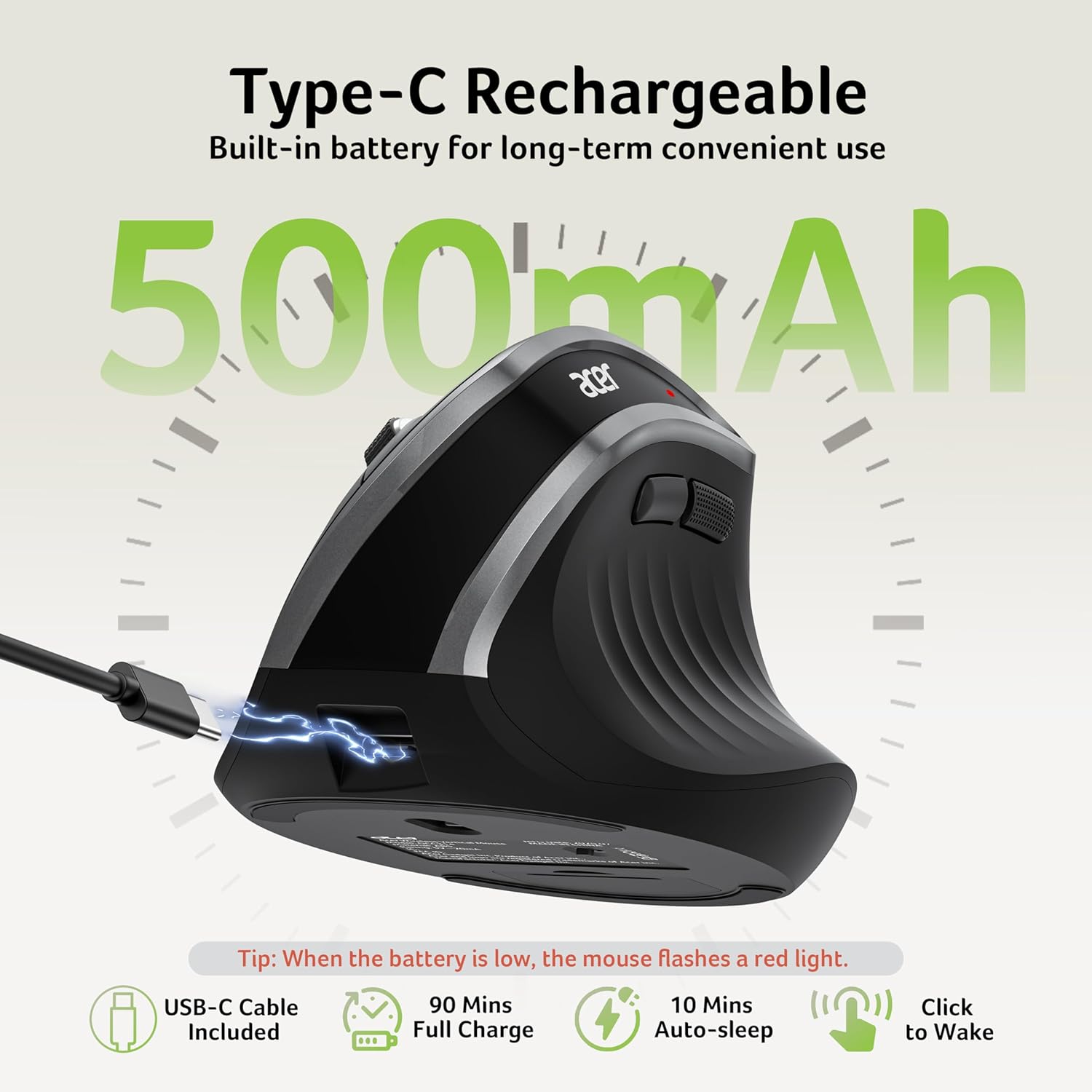
【High-Capacity Rechargeable Battery】Equipped with a 500mAh rechargeable battery, this cordless mouse is designed for long-term convenience. Say goodbye to replacing batteries—it’s the perfect, hassle-free wireless companion.
【Precision Control with 3 DPI Settings】This mouse for laptop offers three customizable DPI levels (800/1200/1600) ensuring optimal precision for any task. An intuitive visual indicator flashes to confirm your selected DPI setting, making adjustments quick and effortless.
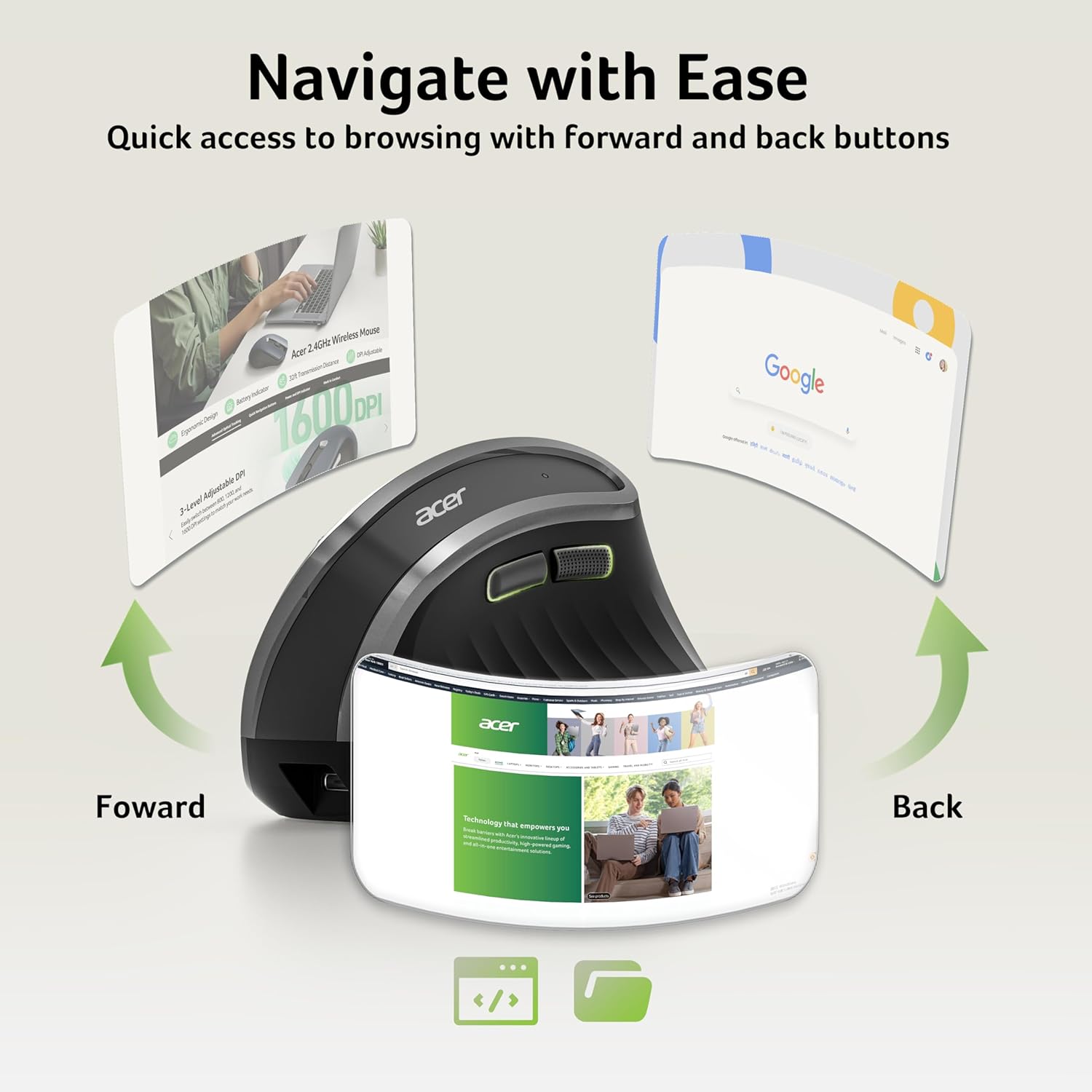
【Quick Navigation Side Buttons】Equipped with dedicated forward and backward buttons, this USB mouse enables rapid browsing and folder navigation. Enhance your efficiency by seamlessly switching applications with a simple click. 📌Side button does not work on Mac.
NOTE: 1. The USB receiver stores inside the mouse. 2. The indicator light is flashing rapidly to warn of low battery. 3. Sleeps after 10 minutes. Wake with a double click.
 Overview
Customer –
Comfortable Brand Name Mouse
TL;DR; $30 is great when you’re buying brand name. It is rather comfortable to use and the extra buttons like back/forward and DPS come in handy, especially the DPS. I do have two complaints: First, the receiver is USB-A rather than USB-C; many wireless devices now come with a USB-C receiver and a C-to-A adapter for older computers. Second, it times out too quickly for my taste; after it times out, you have to click a button to wake it up, and that gets a bit annoying. Still, these complaints aren’t enough for me to drop a star.I received this product for free through Amazon Vine.==================================================In the extensive selection of computer pointing devices that fill office supply catalogs and online marketplaces where users seek relief from the repetitive strain of traditional flat mice that force wrists into unnatural positions over long work sessions, this acer Ergonomic Mouse Wireless in its vertical orientation design specifically tailored for right-handed operation with a rechargeable battery system and a 2.4GHz connection via included USB receiver stands as a solid thirty-dollar option especially when the purchaser values the reassurance of a recognized brand name like acer rather than gambling on unknown manufacturers that might cut corners on build quality or driver support. The vertical grip elevates the hand into a handshake position that aligns the forearm and wrist in a more neutral angle which reduces the twisting pressure on the carpal tunnel area during extended periods of clicking dragging scrolling and navigating through spreadsheets documents web pages and design software alike and this comfort factor becomes noticeable after just a few minutes of use compared to standard horizontal mice that can leave the pinky side of the hand dragging on the desk surface. The six-button layout includes the usual left and right clicks along with a clickable scroll wheel and then adds dedicated back and forward buttons positioned conveniently under the thumb for quick browser navigation plus a DPI switch button that cycles through 800 1200 and 1600 sensitivity levels allowing instant adjustment when switching from precise photo editing at the lower setting to faster cursor movement across multiple monitors at the higher setting and this DPI button in particular proves especially handy in daily workflows that bounce between detailed tasks and broad overviews. The mouse connects through a small USB-A receiver that stores inside the battery compartment when not in use and while the receiver works reliably with a strong signal that reaches across typical desk spans without lag or dropouts the choice of USB-A rather than the increasingly common USB-C port means that users with newer laptops that only have USB-C ports will need to keep a separate adapter or hub handy since no C-to-A adapter is included in the package and many competing wireless devices now ship with USB-C receivers plus an adapter for backward compatibility with older machines. Additionally the power-saving timeout feature activates after a short period of inactivity to conserve the rechargeable battery but the delay feels too aggressive for some preferences because the mouse goes to sleep faster than expected and requires a physical button click to wake it back up rather than simply moving it which interrupts the flow when reaching for the mouse after a brief pause to read or think and this wake-up click becomes a minor repetitive annoyance over the course of a full workday filled with intermittent activity. Despite these two specific complaints about the USB-A receiver and the quick timeout behavior the overall package still delivers enough value through the brand reliability ergonomic comfort and useful extra buttons to maintain a full five-star rating because the issues do not fundamentally undermine the core functionality or comfort that the mouse provides in regular office use on laptops PCs or desktops.Consider a graphic designer spending eight-hour shifts in Adobe Creative Suite where the vertical shape keeps the wrist from pronating painfully during precise selection tool work and the DPI button allows instant switching to 800 for pixel-level accuracy on one monitor then up to 1600 when panning across a multi-screen layout while the back and forward buttons speed up layer palette navigation without reaching for keyboard shortcuts all for the thirty-dollar brand-name price that feels justified compared to generic alternatives that might develop thumb button failures after a few months. Or picture a financial analyst reviewing long Excel workbooks across dual displays where the ergonomic grip prevents the familiar ache that builds in the forearm after hours of cell highlighting and the timeout issue only requires an occasional left-click wake-up that blends into the normal rhythm of data entry without derailing concentration too much even though a USB-C receiver would have been nicer for the modern ultrabook docking station setup. In a home office handling email web research and document editing the mouse sits comfortably in the hand during morning inbox triage with the forward button jumping between browser tabs efficiently and the rechargeable battery lasting multiple days between charges via the included USB cable but the quick sleep mode means waking it every time the user pauses to sip coffee or answer a phone call which adds up to dozens of extra clicks over a week yet still does not outweigh the comfort advantage over a standard mouse. During a software developer’s coding marathon in Visual Studio the vertical orientation supports marathon typing-and-clicking sessions without the wrist fatigue that flattens productivity in the afternoon and the DPI adjustments help when zooming into code snippets versus navigating file explorer trees while the USB-A receiver plugs into a legacy desktop tower without issue though a newer laptop would require an adapter from the drawer. For a remote worker on video conference calls throughout the day the mouse’s silent clicks keep background noise minimal and the ergonomic design maintains comfort during note-taking in OneNote alongside the meeting window but the timeout wake-ups become noticeable when switching between speaking and clicking to advance slides. In a university library study carrel a student writing research papers appreciates the brand-name build that survives being tossed into a backpack between classes and the extra buttons streamline flipping between PDF references in the browser while the thirty-dollar price fits a student budget better than premium competitors. Even in a small business owner’s quickbooks session balancing accounts the vertical mouse reduces strain during repetitive entry fields and the complaints remain minor nuisances rather than deal-breakers in the overall positive experience of using a comfortable rechargeable wireless mouse from a trusted brand at a reasonable price point.
Steve –
A very strange mouse
My initial impressions of this mouse were positive. I’ve always been intrigued by the concept of a “vertical” mouse from an ergonomic perspective, and this one seems fairly well-designed. It feels comfortable in my (rather large) hand, most of the buttons are reasonably well-positioned, and it’s rechargeable via a USB-C port (and, unlike some other mice I could name, it can be used while plugged in and charging). The receiver is a tiny USB dongle that, when not in use, can be stored in a compartment on the bottom of the mouse.That said, after using it for about a week, I have to say…it’s got issues.First, the build quality: it feels cheap. The body of the mouse is made of extremely lightweight plastic, giving it a kind of flimsy, hollow feel. The buttons don’t feel particularly great either. Aside from the middle scroll wheel button, which has a very satisfying click to it, they just feel kind of mushy.Second, the ergonomics: credit where it’s due, the mouse is genuinely comfortable to hold. The vertical design allows you to keep your wrist in a far more natural position while using it, reducing both strain and fatigue. Sadly, that’s where the good news ends. My biggest issue is actually that lifting and repositioning the mouse is problematic. There’s no good way to hold it, and the body is just smooth plastic, without any “grippy” texture or rubberized coating, so it tends to slip right out of my hand.Third, the design: it’s a very basic mouse. This isn’t a surprise; it’s clearly advertised as such. But only after I started using it did I realize how awkward that fact would be. It only has six buttons: left-click, right-click, middle-click, forward, back, and a DPI shift button that, as far as I can tell, can’t be reprogrammed.This normally wouldn’t be a problem, but this mouse is genuinely huge compared to most others, and the design of it makes the lack of additional buttons feel like an awful waste of space. The thumb rest, for example, is just a vast expanse of nothingness, with the forward and back buttons positioned so high up that I have to move my thumb well away from its natural resting place to reach them. Additionally, for the first time in my life, I find myself wishing for a fourth button on top for my ring finger, because it rests so naturally next to the right mouse button that my brain just expects another button there.I want to be clear though: the listing clearly shows how many buttons there are, and where they’re located. So it’s not that I expected it to have more buttons. I just didn’t expect it to feel quite so much like it should have more buttons.All of that being said, at less than $30, this is a budget mouse, and the ergonomics are pretty good. So if you’ve been looking for an affordable vertical mouse without any bells and whistles, this may be the mouse for you. It just isn’t the one for me.
cdragon –
Large, but really makes a difference on the wrist!
I’ve been skeptical of vertical mice as they look rather awkward to use and clunky to me, but I’m pleased to announce I was completely wrong! The difference using this mouse for a week made on my elbow and wrist is frankly astonishing. I’ve been using regular mice for so long I had managed to completely dismiss the strain on my joints… until it suddenly ceased to be. This vertical mouse fits easily into the natural position of the hand. The smooth curve design matches the thumb to forefinger perfectly. The buttons are right where your fingers go, readily accessible and extremely quiet.Despite the large size, the mouse itself is lightweight and easy to move. It glides much easier than I expected, in part because my arm muscles don’t have to twist to use it! I don’t frequently find myself picking up the mouse to move it, but it seems easier to grip in that scenario than a standard flat mouse. My only issue at all is just muscle memory; I find my hand sometimes rotating to try to click the “top” just because that’s what I’ve done for as long as computers have been in my life.The six buttons offer a decent amount of versatility, without being overwhelming like some gamer mice out there. The wheel has a solid feel to it and the DPI button behaves as expected. I don’t mind the lack of bluetooth connectivity; the dongle works perfectly well and likely has less interference than it would with BT, given how many devices I use at a time. The battery has lasted a good long time, and it’s easy to plug in and recharge. I’m really happy to have made the switch and at this price point, it’s a great first vertical mouse for anyone else looking to do the same.
Mrs J –
Purchased two of these for me and my hubby. Very responsive mouse, really nice soft click sound. Super responsive and super comfy to use! Great size as well! Best ergonomic mouse I’ve purchased. Would highly recommend, especially for the price! You can’t go wrong!
Anderer Wolf –
Nachdem mir von klassischen Mäusen zunehmend das Handgelenk wehgetan hat, bin ich vor einigen Jahren auf Vertikalmäuse umgestiegen. Normalerweise benutze ich eine Logitech Lift und war gespannt, wie sich diese Acer-Maus im Vergleich dazu schlägt. Das erste, was nach dem Auspacken auffällt: Sie ist riesig. Die Höhe ist mit 7 cm im üblichen Bereich, aber mit einer Länge von 12,3 cm und einer Breite von 8,2 cm ist es ganz klar die größte Maus, die ich je in der Hand hatte. Mit meinen eher normalen Männerhänden (Handschuhgröße etwa 8,5) kann ich sie trotzdem erstaunlich gut bedienen. Ich kann mir vorstellen, dass Menschen mit großen Händen an dieser Maus ihre Freude haben werden; für Kinder oder für Frauen mit zierlichen Händen ist sie wohl eher ungeeignet.Die Gewichtsangabe in der Beschreibung ist falsch; die Maus wiegt nur 116 g und ist somit relativ leicht (ob das gut oder schlecht ist, ist Geschmackssache). Sie bewegt sich auf der Tischplatte leiser als viele andere Mäuse. Das Scrollrad scheint recht stabil gebaut und hat eine schöne, griffige Oberfläche. Es funktioniert auch zuverlässig und präzise. Man kann es als “Radtaste” sowohl nach unten als auch nach links drücken (die Funktion ist dieselbe) – der Druckpunkt ist angenehm, das dabei entstehende Klickgeräusch ist aber sehr laut. Auch die Vor-/Zurück-Tasten an der Seite sind ziemlich laut – und machen deutlich unterschiedliche Geräusche, ob das Absicht oder Zufall ist, weiß ich nicht. Die eigentlichen Maustasten haben einer dumpfes Geräusch, schon hörbar, aber nicht nervig.Mit einer zusätzlichen Taste lässt sich die Auflösung zwischen 800/1200/1600 dpi umstellen, was in der Praxis auch ordentlich zu funktionieren scheint. Bei allen Auflösungen werden Bewegungen präzise aufgelöst, und die Richtung ist korrekt – wenn ich die Maus in der natürlichen Haltung benutze und sie gerade nach rechts oder oben bewege, dann geht der Zeiger auch gerade nach rechts oder oben, was leider nicht bei allen Vertikalmäusen so ist. Die Maus kann per USB-C geladen werden und kommt mit einem USB-Kabel.Wenn man nicht besonders kleine Hände hat (sagen wir Handschuhgröße 8 und drunter), dann bekommt man hier eine hervorragende, ergonomische Vertikalmaus, an der es außer den etwas lauten Rad- und Seitentasten wirklich nichts auszusetzen gibt.
Zebulon –
J’utilise cette souris depuis 1 semaines, elle soulage vraiment le poignet et tient bien la charge. Par contre elle est un peu grande pour mon sac à dos et le plastique fait un peu cheap. Elle se connecte assez vite, et les boutons sur le côté sont très pratiques. Bonne surprise dans l’ensemble malgré quelques petits défauts.Les ✅ de l’article :📗 Très facile à prendre en main, on sent tout de suite que le poignet est moins tendu même après une longue journée📗 La connexion se fait en deux secondes, on branche et c’est prêt📗 Très bonne autonomie, je l’ai rechargée une fois et je l’utilise depuis 1 semaines📗 La sensibilité s’ajuste simplement📗 Les boutons sur le côté sont bien placés, rt permettent d’aller d’un onglet à l’autre rapidementLes ⛔ de l’article :📕 Un peu grosse, pas idéale si on veut l’emmener partout📕 Le plastique paraît un peu fragile👉 Conclusion :🎌 Une souris bien pensée pour éviter les douleurs, super autonomie, simple à utiliser, mais un peu encombrante et pas la plus robuste au toucher
Master of Disaster –
Ich bin leider schon einige Zeit auf der Suche nach einer perfekten vertikalen Maus und habe jetzt auch diese ausprobiert. Dies ist die erste Maus die breit genug ausgeführt ist um meine ganze Hand darauf zu platzieren. Bei anderen vertikalen Mäusen schleift immer meine rechte Handkante auf der Mousematte mit.Gut finde ich auch das die Daumentasten zwei unterschideliche Oberflächen haben so lässt sich nur per Gefühl bestimmen welche ich denn gerade betätigen möchte.Verbunden wird sie ausschließlich per mitgeliefertem Wireless Dongle (USB-A), Bluetooth Verbindung ist keine möglich.Auch ist ein Akku fest verbaut der sich per USB-C Verbindung laden lässt.Nun zu dem Punkt warum ich immer noch auf der Suche nach einer perfekten vertikalen Mouse bin. Diese Mouse ist mir etwas zu kurz, d.h. meine Finger stehen doch einiges über. Um die Mousetasten zu bedienen kein Problem aber beim Mausrad wird die Sache spannender. Bei dieser Mouse ist das Mausrad für mich einfach zu weit hinten. Wenn auch sonst alles andere wunderbar passt so muss ich die Finger unnatürlich weit zurücknehmen/anwinkeln um das Mausrad zu bedienen. Das Mausrad selbst ist eines der besseren, es reagiert präzise und ist mit einer gummierten Oberfläche versehen.Meine Handmaße um das evtl vergleichen zu können: Länge vom Handballen bis spitze Mittelfinger 19cm, Breite am Daumenansatz 11,5cm. Wären meine Finger 1cm kürzer würde sie perfekt passen.
Diego –
I often engage in lengthy sessions of detailed photo and video editing at the computer. This can result in strain in various parts of the body including eyes, neck, back and wrists etc.Hence I was looking for a mouse that was wireless AND more comfortable to use for extended periods.Early versions of the ergonomic vertical mouse looked bulky and gimmicky to me.However, the design and shape have evolved over time and when I saw this vertical mouse design by the brand Acer, I was keen to try it.The kit arrived in a simple/sleek retail box containing:– vertical ergonomic mouse with 2.4GHz USB receiver– USB charging cable– User ManualThe GOOD:– The mouse’s size is optimised and the 58 degree tilt slots into my hand perfectly– The buttons & wheel are damped/silent and well positioned– The mouse is rechargeable hence no need to replace batteriesIMPROVEMENT POINTS:– the 2.4 GHz receiver needs a USB port; it would be great if there was a Bluetooth option– The mouse could be heavier to give the feel of substance and stabilityThis mouse is very comfortable to use for those lengthy sessions at the computer, and with the above improvements, the advertised price would be justified.